• 22-01-2025, 19:17:39
    #1
    Merhabalar. Bir e-ticaret sitesi ile uğraşıyorum kullandığım tema Salient. Şöyle bir sorunum var; temada sepete ekle butonu için 2-3 seçenek var. Seçtiğim görünümde masaüstü görünümde thumbnail'ın üzerine mouse ile gelince sepete ekle ve quick view butonları çıkıyor;


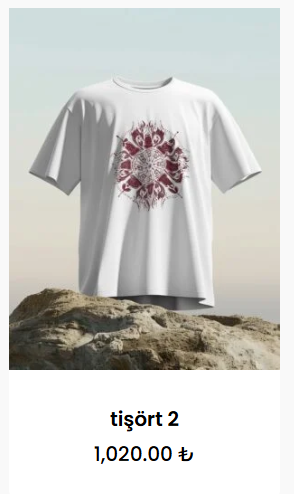
    Mobil görünümde ise sepete ekle butonu gidiyor, ürünün üzerine tıklayıp single product sayfasına geldiğimizde sepete ekle butonu çıkıyor.


    İstediğim şey şu; mobilde görselin üzerine sepete ekle ikonu koyabilir miyim? Bunun bir yolu var mıdır?
    Teşekkürler
  • 22-01-2025, 19:55:05
    #2
    Bu işinizi görecektir. Web sitenize özel css olarak ekleme yapınız. Tema > Özelleştir kısmında bulunan ek css kısmına ekleyebilirsiniz.

    @media only screen and (max-width: 999px) {
        .products[data-rm-m-hover="1"] li.product.minimal .background-color-expand, .products[data-rm-m-hover="1"] li.product.minimal .product-add-to-cart {
            display: flex !important
    ;
        }
        .products li.product.minimal .product-add-to-cart a {
        opacity: 1!important;
        transition: none;
    }
    }
    Sepete ekle butonlarını da masaüstünde de hover olarak kullanmak istemez iseniz bu şekilde ekleyin ;
    @media only screen and (max-width: 999px) {
        .products[data-rm-m-hover="1"] li.product.minimal .background-color-expand, .products[data-rm-m-hover="1"] li.product.minimal .product-add-to-cart {
            display: flex !important
    ;
        }
    }
    .products li.product.minimal .product-add-to-cart a {
        opacity: 1!important ;
        transition: none;
    }
  • 22-01-2025, 20:04:30
    #3
    mucahitergul adlı üyeden alıntı: mesajı görüntüle
    Bu işinizi görecektir. Web sitenize özel css olarak ekleme yapınız. Tema > Özelleştir kısmında bulunan ek css kısmına ekleyebilirsiniz.

    @media only screen and (max-width: 999px) {
        .products[data-rm-m-hover="1"] li.product.minimal .background-color-expand, .products[data-rm-m-hover="1"] li.product.minimal .product-add-to-cart {
            display: flex !important
    ;
        }
        .products li.product.minimal .product-add-to-cart a {
        opacity: 1!important;
        transition: none;
    }
    }
    Sepete ekle butonlarını da masaüstünde de hover olarak kullanmak istemez iseniz bu şekilde ekleyin ;
    @media only screen and (max-width: 999px) {
        .products[data-rm-m-hover="1"] li.product.minimal .background-color-expand, .products[data-rm-m-hover="1"] li.product.minimal .product-add-to-cart {
            display: flex !important
    ;
        }
    }
    .products li.product.minimal .product-add-to-cart a {
        opacity: 1!important ;
        transition: none;
    }
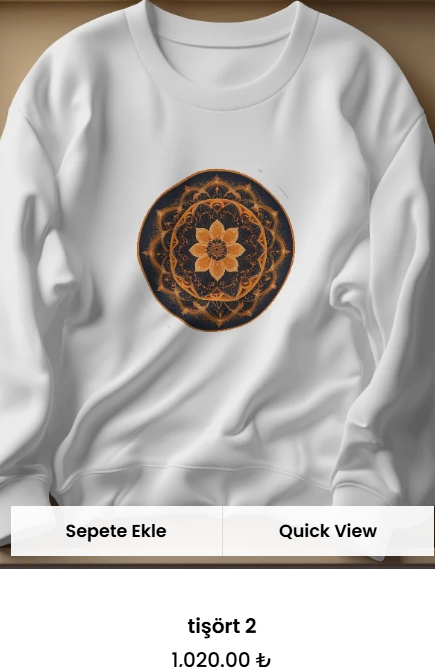
    Çok teşekkür ederim, aradığım tam olarak buydu.
  • 20-02-2025, 17:34:38
    #4
    mucahitergul adlı üyeden alıntı: mesajı görüntüle
    Bu işinizi görecektir. Web sitenize özel css olarak ekleme yapınız. Tema > Özelleştir kısmında bulunan ek css kısmına ekleyebilirsiniz.

    @media only screen and (max-width: 999px) {
        .products[data-rm-m-hover="1"] li.product.minimal .background-color-expand, .products[data-rm-m-hover="1"] li.product.minimal .product-add-to-cart {
            display: flex !important
    ;
        }
        .products li.product.minimal .product-add-to-cart a {
        opacity: 1!important;
        transition: none;
    }
    }
    Sepete ekle butonlarını da masaüstünde de hover olarak kullanmak istemez iseniz bu şekilde ekleyin ;
    @media only screen and (max-width: 999px) {
        .products[data-rm-m-hover="1"] li.product.minimal .background-color-expand, .products[data-rm-m-hover="1"] li.product.minimal .product-add-to-cart {
            display: flex !important
    ;
        }
    }
    .products li.product.minimal .product-add-to-cart a {
        opacity: 1!important ;
        transition: none;
    }
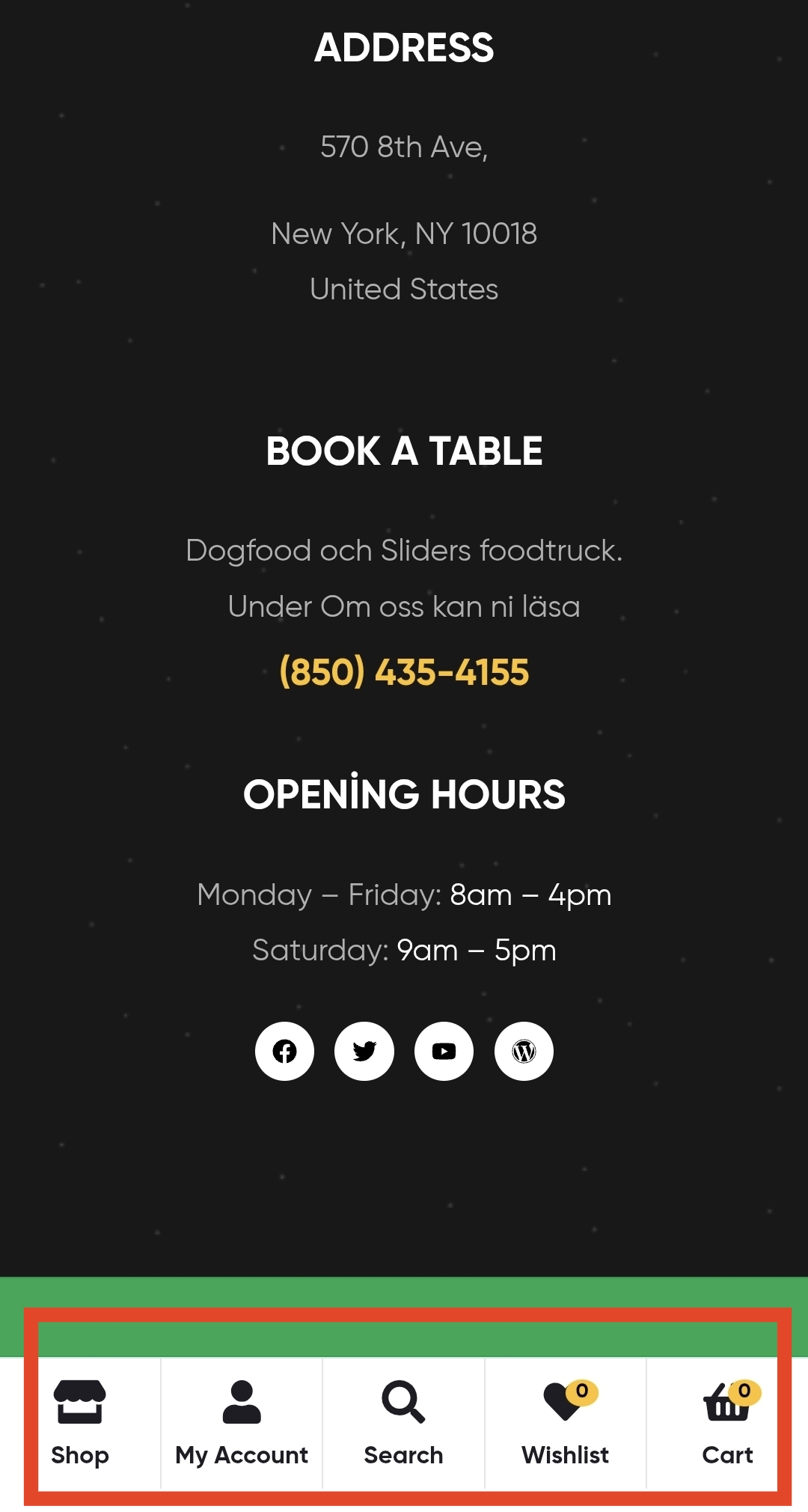
    Hocam bana da yardımcı olabilir misiniz rica etsem. Benim web sitemin mobil görünüminde alt kısımdaki menüler ingilizce yazıyor Türkçeye çeviremedim bir türlü. Siteye buradan bakabilirsiniz. Ekran görüntüsünü de ekliyorum. Teşekkür ederim.