
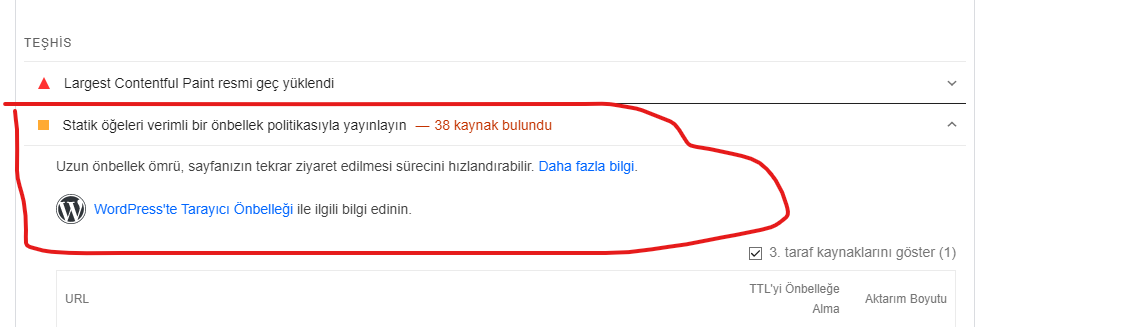
PageSpeed bu hatayı nasıl çözebilirim.
7
●178
- 10-06-2022, 01:31:57
 Kimlik doğrulama veya yönetimden onay bekliyor.w3 total cache ve benzeri bir çok eklenti iş görür. cloudflare de olabilirAsmus1990 adlı üyeden alıntı: mesajı görüntüle
 - 10-06-2022, 01:34:53CloudFlare hangi kısımdan çözebilirim bu işi hocamali_han adlı üyeden alıntı: mesajı görüntüle
- 10-06-2022, 12:44:56şurdan bi araştırın - tüm ayarları iyi yapılmalı. hocam https://onlinemediamasters.com/w3-total-cache-settings/Asmus1990 adlı üyeden alıntı: mesajı görüntüle
- 10-06-2022, 16:37:05 Önbellek eklentisi kurup çözebilirsiniz. Ücretli olarak wp rocket işinizi görür. Ücretsiz olarak lite speed cache eklentisi.
Konum:
https://www.r10.net/account-lisans-i...a-fazlasi.html - 10-06-2022, 21:38:17 Cache eklentisi lazım yanlışım yoksa. WP Rocket sağlayabilirim sizlere uygun fiyattan yıllık periyotta

https://www.r10.net/account-lisans-i...-128293-a.html - 10-06-2022, 22:32:24 htaccess dosyasına:
Apache için;
<IfModule mod_expires.c>
ExpiresActive On

# Images
ExpiresByType image/jpeg "access plus 1 year"
ExpiresByType image/gif "access plus 1 year"
ExpiresByType image/png "access plus 1 year"
ExpiresByType image/webp "access plus 1 year"
ExpiresByType image/svg+xml "access plus 1 year"
ExpiresByType image/x-icon "access plus 1 year"

# Video
ExpiresByType video/webm "access plus 1 year"
ExpiresByType video/mp4 "access plus 1 year"
ExpiresByType video/mpeg "access plus 1 year"

# Fonts
ExpiresByType font/ttf "access plus 1 year"
ExpiresByType font/otf "access plus 1 year"
ExpiresByType font/woff "access plus 1 year"
ExpiresByType font/woff2 "access plus 1 year"
ExpiresByType application/font-woff "access plus 1 year"

# CSS, JavaScript
ExpiresByType text/css "access plus 1 year"
ExpiresByType text/javascript "access plus 1 year"
ExpiresByType application/javascript "access plus 1 year"

# Others
ExpiresByType application/pdf "access plus 1 year"
ExpiresByType image/vnd.microsoft.icon "access plus 1 year"
</IfModule>
Litespeed kullanıyorsanız;
Litespeed Cache eklentisinde Browser sekmesine gidin ve Browser Cache: ON konumuna getirin.
Nginx;
Plesk panel üzerinde https://support.plesk.com/hc/en-us/articles/115001374153-How-to-enable-leverage-browser-caching-for-nginx- bu kaynakta yer alanları uygulayabilirsiniz.
Kolay gelsin.


