• 02-09-2020, 01:56:24
    #1
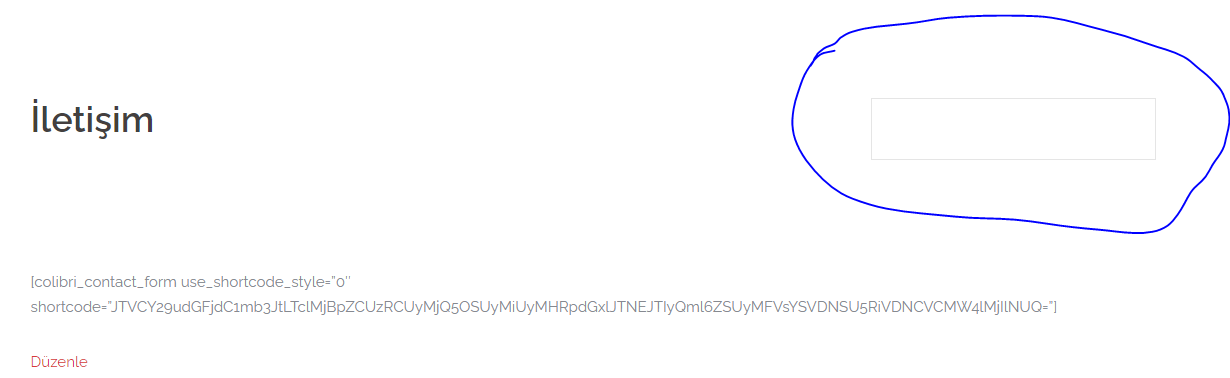
    Merhabalar sydney temasını kullanıyorum demo import ettim sayfalarda işaretlediğim kısım çıkıyor bundan nasıl kurtulabilirim ?

    Wİdget kapattım burası böyle kaldı bunun çözümü nedir
  • 02-09-2020, 01:57:32
    #2
    Theme customizer ile kaldirabilirsin
  • 02-09-2020, 01:57:51
    #3
    widgetları kapatmalısınız
  • 02-09-2020, 01:58:45
    #4
    Bileşenler bölümünden tüm bileşenleri temizle. Eğer sayfada gözüküyorsa page.php dosyasından kaldırabilirsin.
  • 02-09-2020, 02:04:15
    #5
    WebKadir adlı üyeden alıntı: mesajı görüntüle
    Theme customizer ile kaldirabilirsin
    karaoglan01 adlı üyeden alıntı: mesajı görüntüle
    widgetları kapatmalısınız
    webtroloji adlı üyeden alıntı: mesajı görüntüle
    Bileşenler bölümünden tüm bileşenleri temizle. Eğer sayfada gözüküyorsa page.php dosyasından kaldırabilirsin.
    Merhabalar yardımlarınız için öncelikle teşekkür ederim. Widgetleri kapattım o kısım gitti fakat yukarıda ki kutucuk kaldı konuyu güncelledim burası için ne yapmam gerekiyor
  • 02-09-2020, 02:05:37
    #6
    sosyocell adlı üyeden alıntı: mesajı görüntüle
    Merhabalar yardımlarınız için öncelikle teşekkür ederim. Widgetleri kapattım o kısım gitti fakat yukarıda ki kutucuk kaldı konuyu güncelledim burası için ne yapmam gerekiyor
    Bunun için page.php dosyasını düzenlenlemeniz gerekiyor. Kod bilginiz yoksa eğer page.php dosyasının kodlarını burada yada pm ile paylaşın yardımcı olayım.
  • 02-09-2020, 02:10:49
    #7
    webtroloji adlı üyeden alıntı: mesajı görüntüle
    Bunun için page.php dosyasını düzenlenlemeniz gerekiyor. Kod bilginiz yoksa eğer page.php dosyasının kodlarını burada yada pm ile paylaşın yardımcı olayım.
    <?php
    /**
    * The template for displaying all pages.
    *
    * This is the template that displays all pages by default.
    * Please note that this is the WordPress construct of pages
    * and that other 'pages' on your WordPress site will use a
    * different template.
    *
    * @package Sydney
    */

    get_header();

    //Get classes for main content area
    $content_classes = sydney_page_content_classes();

    ?>

    <div id="primary" class="content-area <?php echo esc_attr( $content_classes ); ?>">
    <main id="main" class="post-wrap" role="main">

    <?php while ( have_posts() ) : the_post(); ?>

    <?php get_template_part( 'content', 'page' ); ?>

    <?php
    // If comments are open or we have at least one comment, load up the comment template
    if ( comments_open() || get_comments_number() ) :
    comments_template();
    endif;
    ?>

    <?php endwhile; // end of the loop. ?>

    </main><!-- #main -->
    </div><!-- #primary -->

    <?php do_action( 'sydney_get_sidebar' ); ?>
    <?php get_footer(); ?>

    Page.php de bulunan kodlar bunlar, pm gönderemiyorum bloklandınız diye hata veriyor hocam
  • 02-09-2020, 02:15:00
    #8
    Page.php dosyanızın yedeğini alın ilk önce. Sonra aşağıdaki kodlar ile güncelleyin.

    <?php
    /**
    * The template for displaying all pages.
    *
    * This is the template that displays all pages by default.
    * Please note that this is the WordPress construct of pages
    * and that other 'pages' on your WordPress site will use a
    * different template.
    *
    * @package Sydney
    */
    
    get_header();
    
    //Get classes for main content area
    $content_classes = sydney_page_content_classes();
    
    ?>
    
    <div id="primary" class="content-area <?php echo esc_attr( $content_classes ); ?>">
    <main id="main" class="post-wrap" role="main">
    
    <?php while ( have_posts() ) : the_post(); ?>
    
    <?php get_template_part( 'content', 'page' ); ?>
    
    <?php
    // If comments are open or we have at least one comment, load up the comment template
    if ( comments_open() || get_comments_number() ) :
    comments_template();
    endif;
    ?>
    
    <?php endwhile; // end of the loop. ?>
    
    </main><!-- #main -->
    </div><!-- #primary -->
    
    
    <?php get_footer(); ?>
  • 02-09-2020, 02:18:22
    #9
    webtroloji adlı üyeden alıntı: mesajı görüntüle
    Page.php dosyanızın yedeğini alın ilk önce. Sonra aşağıdaki kodlar ile güncelleyin.

    <?php
    /**
    * The template for displaying all pages.
    *
    * This is the template that displays all pages by default.
    * Please note that this is the WordPress construct of pages
    * and that other 'pages' on your WordPress site will use a
    * different template.
    *
    * @package Sydney
    */
    
    get_header();
    
    //Get classes for main content area
    $content_classes = sydney_page_content_classes();
    
    ?>
    
    <div id="primary" class="content-area <?php echo esc_attr( $content_classes ); ?>">
    <main id="main" class="post-wrap" role="main">
    
    <?php while ( have_posts() ) : the_post(); ?>
    
    <?php get_template_part( 'content', 'page' ); ?>
    
    <?php
    // If comments are open or we have at least one comment, load up the comment template
    if ( comments_open() || get_comments_number() ) :
    comments_template();
    endif;
    ?>
    
    <?php endwhile; // end of the loop. ?>
    
    </main><!-- #main -->
    </div><!-- #primary -->
    
    
    <?php get_footer(); ?>
    Hocam sayfa açılmadı bu kodları girince eski kodları tekrar girdim