
<section class="container-foto">
     <div class="container">
           <div class="ha-title"><i class="fab fa-envira"></i> Galeri</div>
                   <div class="owl-carousel4 owl-theme">
		         <?php $the_query = new WP_Query( 'page_id=73' ); ?>
		         <?php while ($the_query -> have_posts()) : $the_query -> the_post();  ?>
            <div class="item">
			  <?php the_content(); ?>
            </div>
			<?php endwhile;?>
          </div>
       </div>
</section>
Örnek görüntü: 
Tek item içerisinde boyle oluyor ama bu galerideki resimleri ben ayrı ayrı nasıl yansıtabilirim carousel içerisine. Konu hakkında bilgisi olan arkadaşlar bir yol gösterebilirse sevinirim.
ÇÖZÜM :
Bu konuda tam bilgiye sahip olmadığım için biraz araştırma yaptım. Gallery_Shortcode kullanıldığını gördüm wordpress'te. (bilmiyordum.)
Daha sonra bir koda ulaştım tabi işimi tam anlamıyla görmedi.
<?php
    $gallery_shortcode = '[gallery id="' . intval( $post->post_parent ) . '"]';
    print apply_filters( 'the_content', $gallery_shortcode );
 ?>
Bu kod wp-includes/media.php içerisinden gereken herşeyi çekiyor ama bunu özelleştirmek gerekiyor bunun için functions.php dosyasına bu kodları kendime göre düzenleyerek ekledim,
add_filter( 'post_gallery', 'my_post_gallery', 12, 2 );
function my_post_gallery( $output, $attr) {
    global $post, $wp_locale;
    static $instance = 0;
    $instance++;

    if ( isset( $attr['orderby'] ) ) {
        $attr['orderby'] = sanitize_sql_orderby( $attr['orderby'] );
        if ( !$attr['orderby'] )
            unset( $attr['orderby'] );
    }
    extract(shortcode_atts(array(
        'order'      => 'ASC',
        'orderby'    => 'menu_order ID',
        'id'         => $post->ID,
        'itemtag'    => 'dl',
        'icontag'    => 'div',
        'captiontag' => 'dd',
        'columns'    => 3,
        'size'       => 'thumbnail',
        'include'    => '',
        'exclude'    => ''
    ), $attr));
    $id = intval($id);
    if ( 'RAND' == $order )
        $orderby = 'none';
    if ( !empty($include) ) {
        $include = preg_replace( '/[^0-9,]+/', '', $include );
        $_attachments = get_posts( array('include' => $include, 'post_status' => 'inherit', 'post_type' => 'attachment', 'post_mime_type' => 'image', 'order' => $order, 'orderby' => $orderby) );

        $attachments = array();
        foreach ( $_attachments as $key => $val ) {
            $attachments[$val->ID] = $_attachments[$key];
        }
    } elseif ( !empty($exclude) ) {
        $exclude = preg_replace( '/[^0-9,]+/', '', $exclude );
        $attachments = get_children( array('post_parent' => $id, 'exclude' => $exclude, 'post_status' => 'inherit', 'post_type' => 'attachment', 'post_mime_type' => 'image', 'order' => $order, 'orderby' => $orderby) );
    } else {
        $attachments = get_children( array('post_parent' => $id, 'post_status' => 'inherit', 'post_type' => 'attachment', 'post_mime_type' => 'image', 'order' => $order, 'orderby' => $orderby) );
    }
    if ( empty($attachments) )
        return '';
    if ( is_feed() ) {
        $output = "\n";
        foreach ( $attachments as $att_id => $attachment )
            $output .= wp_get_attachment_link($att_id, $size, true) . "\n";
        return $output;
    }
    $itemtag = tag_escape($itemtag);
    $captiontag = tag_escape($captiontag);
    $columns = intval($columns);
    $itemwidth = $columns > 0 ? floor(100/$columns) : 100;
    $float = is_rtl() ? 'right' : 'left';
    $selector = "gallery-{$instance}";
    $i = 0;
    foreach ( $attachments as $id => $attachment ) {
        $link = isset($attr['link']) && 'file' == $attr['link'] ? wp_get_attachment_link($id, $size, false, false) : wp_get_attachment_link($id, $size, true, false);
        $output .= "
            <{$icontag} class='item'>
                $link
            </{$icontag}>";
    }
    return $output;
}
ve galeriyi göstermek istediğim alana
<?php
    $my_post_gallery = '[gallery id="73" ]';
    print apply_filters( 'the_content', $my_post_gallery );
 ?>
yeni kodları ekledim. Bu şekilde sorunumu çözmüş oldum.
Düzenlemeden sonraki görüntü geriye css ayarları kaldı

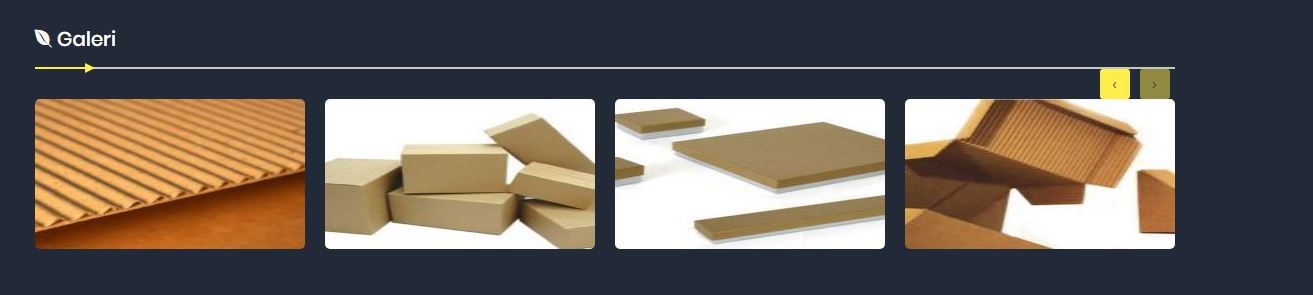
Umarım faydalanabilecek arkadaşlar olur. Bu vesile ile yeni birşey daha öğrenmiş oldum. İyi forumlar..