
Basit ziyaretçi sayacı gelişime açık.
Counter sayfası ziyaretçileri sayar ip adresini kayıt ettiği için aynı ip adresi sayacı sıfırlamadığınız sürece 1 ziyaret sayılır.
Counter_wiew sayfası ile ziyaret sayısını görebilirsiniz ayrıca sayacı sıfırlayabilirsiniz.

İndex sayfanıza entegre etmeniz gereken kod;
Counter sayfası ziyaretçileri sayar ip adresini kayıt ettiği için aynı ip adresi sayacı sıfırlamadığınız sürece 1 ziyaret sayılır.
Counter_wiew sayfası ile ziyaret sayısını görebilirsiniz ayrıca sayacı sıfırlayabilirsiniz.
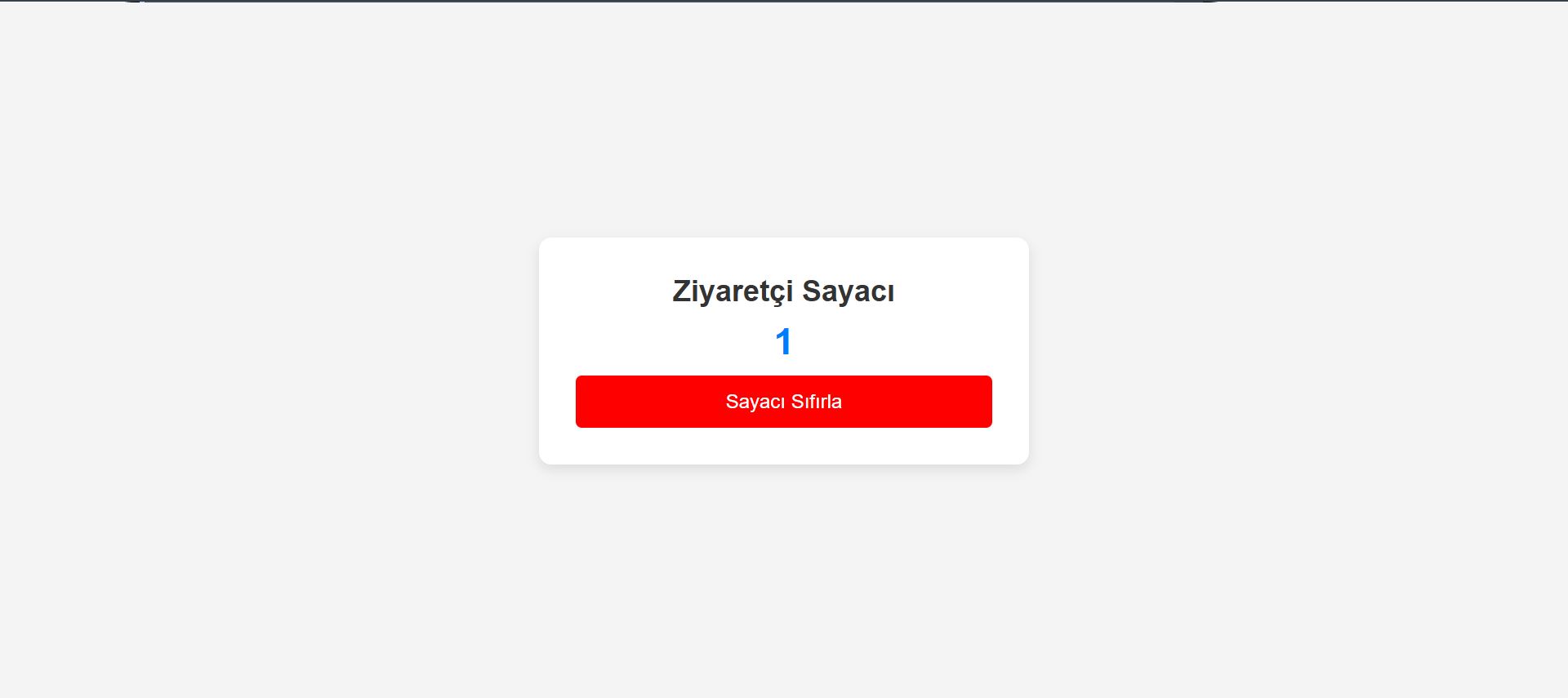
İndex sayfanıza entegre etmeniz gereken kod;
<script>
    fetch("counter.php");
</script>
counter_view.php ;<?php
$dosya = 'counter.txt';
$ip_dosya = 'ips.txt';
// Sayaç değerini oku
$sayac = file_exists($dosya) ? file_get_contents($dosya) : '0';
// Sayaç ve IP sıfırlama işlemi
if (isset($_POST['reset'])) {
file_put_contents($dosya, '0'); // Sayacı sıfırla
file_put_contents($ip_dosya, ''); // IP listesini temizle
$sayac = 0; // Sayaç değişkenini de sıfırla
$mesaj = "Sayaç ve IP listesi başarıyla sıfırlandı!";
}
?>
<!DOCTYPE html>
<html lang="tr">
<head>
<meta charset="UTF-8">
<meta name="viewport" content="width=device-width, initial-scale=1.0">
<title>Ziyaretçi Sayacı</title>
<style>
* {
margin: 0;
padding: 0;
box-sizing: border-box;
font-family: 'Arial', sans-serif;
}
body {
background-color: #f4f4f4;
display: flex;
justify-content: center;
align-items: center;
height: 100vh;
text-align: center;
}
.container {
background: white;
padding: 30px;
border-radius: 10px;
box-shadow: 0 4px 10px rgba(0, 0, 0, 0.1);
max-width: 400px;
width: 100%;
}
h2 {
color: #333;
font-size: 24px;
margin-bottom: 10px;
}
.count {
font-size: 30px;
font-weight: bold;
color: #007bff;
margin: 10px 0;
}
.message {
color: green;
font-size: 14px;
margin-bottom: 10px;
}
.reset-btn {
background-color: red;
color: white;
border: none;
padding: 12px 20px;
font-size: 16px;
cursor: pointer;
border-radius: 5px;
transition: 0.3s;
width: 100%;
}
.reset-btn:hover {
background-color: darkred;
}
@media (max-width: 500px) {
.container {
width: 90%;
}
}
</style>
</head>
<body>
<div class="container">
<h2>Ziyaretçi Sayacı</h2>
<p class="count"><?php echo $sayac; ?></p>
<?php if (isset($mesaj)) { echo "<p class='message'>$mesaj</p>"; } ?>
<form method="post">
<button type="submit" name="reset" class="reset-btn">Sayacı Sıfırla</button>
</form>
</div>
</body>
</html>
[CENTER][/CENTER]counter.php ;
<?php
$dosya = 'counter.txt';
$ip_dosya = 'ips.txt';

$ip = $_SERVER['REMOTE_ADDR'];

if (!file_exists($ip_dosya)) {
    file_put_contents($ip_dosya, '');
}

$kayitli_ipler = file($ip_dosya, FILE_IGNORE_NEW_LINES | FILE_SKIP_EMPTY_LINES);

if (!in_array($ip, $kayitli_ipler)) {

    $sayac = file_exists($dosya) ? (int) file_get_contents($dosya) : 0;
    $sayac++;

    file_put_contents($dosya, $sayac);

    file_put_contents($ip_dosya, $ip . PHP_EOL, FILE_APPEND);
}
?>

[CENTER][/CENTER]
Sistemin kayıt ettiği ip adreslerini ve sayacın metin belgesine doğrudan erişilmemesi için .htaccess dosyasınıza eklemeniz gereken kodlar;
<Files "ips.txt">
    Order Allow,Deny
    Deny from all
</Files>

<Files "counter.txt">
    Order Allow,Deny
    Deny from all
</Files>