• 16-09-2025, 15:28:40
    #1
    TASARIM AJANSI
    Hepinize teşekkür ederim, çok fazla mesaj geldiği için şimdilik konuyu kitliyorum
  • 16-09-2025, 15:33:48
    #2
    WhatsApp 'dan ulaşıldı
  • 16-09-2025, 15:35:39
    #3
    P.M atıldı
  • 16-09-2025, 15:40:57
    #4
    Üyeliği durduruldu
    Ücretsiz yapabilirim ulaşırsanız basit işlem
  • 16-09-2025, 15:51:18
    #5
    Hocam konu dışı naçizane ufak bir önerim olacak. Web sitenize r10 gibi top butonu eklemeniz. Bu sayede çalışmalarınızda sayfanın en altına inen müşterileriniz tek tıkla sayfanın en üst bölümüne çıkmış olur.
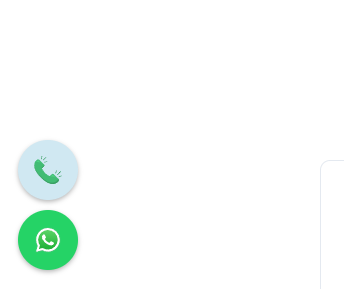
    Ek olarak görseldeki gibi bir özellik eklemek isterseniz de aşağıdaki kodları footer bölümüne eklemeniz yeterli olacaktır. Kodlara ChatGPT üzerinden ( Instagram, Facebook, Twitter vd. ) ilave eklemelerde yapabilirsiniz.


    <script> document.addEventListener("DOMContentLoaded", function () { const container = document.createElement("div"); container.style.cssText = position: fixed; bottom: 20px; left: 20px; display: flex; flex-direction: column; align-items: center; gap: 10px; z-index: 9999; ; function createButton(href, bgColor, imgSrc, imgAlt, tooltipText) { const wrapper = document.createElement("div"); wrapper.style.cssText = position: relative; display: inline-block; ; const tooltip = document.createElement("span"); tooltip.textContent = tooltipText; tooltip.style.cssText = visibility: hidden; width: max-content; background-color: #333; color: #fff; text-align: center; border-radius: 4px; padding: 5px 10px; position: absolute; left: 70px; top: 50%; transform: translateY(-50%); z-index: 10000; white-space: nowrap; opacity: 0; transition: opacity 0.3s; font-size: 13px; ; const button = document.createElement("a"); button.href = href; button.target = "_blank"; button.style.cssText = width: 60px; height: 60px; background-color: ${bgColor}; border-radius: 50%; display: flex; align-items: center; justify-content: center; box-shadow: 0 2px 5px rgba(0,0,0,0.3); text-decoration: none; position: relative; ; const img = document.createElement("img"); img.src = imgSrc; img.alt = imgAlt; img.style.cssText = width: 28px; height: 28px; ; button.appendChild(img); wrapper.appendChild(button); wrapper.appendChild(tooltip); // Tooltip göster/gizle wrapper.addEventListener("mouseenter", () => { tooltip.style.visibility = "visible"; tooltip.style.opacity = "1"; }); wrapper.addEventListener("mouseleave", () => { tooltip.style.visibility = "hidden"; tooltip.style.opacity = "0"; }); return wrapper; } const phoneBtn = createButton( "tel:+900000000000", "#d0e8f2", "http://localhost/harun/wp-content/uploads/2025/05/telefon-ara-iletisim.svg", "Telefon", "Hemen İletişime Geçin" ); const whatsappBtn = createButton( "https://wa.me/900000000000?text=Merhaba%2C%20netortami.net%20sit esi%20%C3%BCzerinden%20ileti%C5%9Fime%20ge%C3%A7iy orum.", "#25D366", "http://localhost/harun/wp-content/uploads/2025/05/WhatsApp.svg", "WhatsApp", "Whatsapp İletişim" ); container.appendChild(phoneBtn); container.appendChild(whatsappBtn); document.body.appendChild(container); }); </script>

  • 16-09-2025, 15:54:07
    #6
    TASARIM AJANSI
    omergundogar adlı üyeden alıntı: mesajı görüntüle
    WhatsApp 'dan ulaşıldı
    alperenalpa adlı üyeden alıntı: mesajı görüntüle
    P.M atıldı
    OZGUVEN adlı üyeden alıntı: mesajı görüntüle
    Ücretsiz yapabilirim ulaşırsanız basit işlem
    tuzlatuning adlı üyeden alıntı: mesajı görüntüle
    Hocam konu dışı naçizane ufak bir önerim olacak. Web sitenize r10 gibi top butonu eklemeniz. Bu sayede çalışmalarınızda sayfanın en altına inen müşterileriniz tek tıkla sayfanın en üst bölümüne çıkmış olur.
    Ek olarak görseldeki gibi bir özellik eklemek isterseniz de aşağıdaki kodları footer bölümüne eklemeniz yeterli olacaktır. Kodlara ChatGPT üzerinden ( Instagram, Facebook, Twitter vd. ) ilave eklemelerde yapabilirsiniz.


    <script> document.addEventListener("DOMContentLoaded", function () { const container = document.createElement("div"); container.style.cssText = position: fixed; bottom: 20px; left: 20px; display: flex; flex-direction: column; align-items: center; gap: 10px; z-index: 9999; ; function createButton(href, bgColor, imgSrc, imgAlt, tooltipText) { const wrapper = document.createElement("div"); wrapper.style.cssText = position: relative; display: inline-block; ; const tooltip = document.createElement("span"); tooltip.textContent = tooltipText; tooltip.style.cssText = visibility: hidden; width: max-content; background-color: #333; color: #fff; text-align: center; border-radius: 4px; padding: 5px 10px; position: absolute; left: 70px; top: 50%; transform: translateY(-50%); z-index: 10000; white-space: nowrap; opacity: 0; transition: opacity 0.3s; font-size: 13px; ; const button = document.createElement("a"); button.href = href; button.target = "_blank"; button.style.cssText = width: 60px; height: 60px; background-color: ${bgColor}; border-radius: 50%; display: flex; align-items: center; justify-content: center; box-shadow: 0 2px 5px rgba(0,0,0,0.3); text-decoration: none; position: relative; ; const img = document.createElement("img"); img.src = imgSrc; img.alt = imgAlt; img.style.cssText = width: 28px; height: 28px; ; button.appendChild(img); wrapper.appendChild(button); wrapper.appendChild(tooltip); // Tooltip göster/gizle wrapper.addEventListener("mouseenter", () => { tooltip.style.visibility = "visible"; tooltip.style.opacity = "1"; }); wrapper.addEventListener("mouseleave", () => { tooltip.style.visibility = "hidden"; tooltip.style.opacity = "0"; }); return wrapper; } const phoneBtn = createButton( "tel:+900000000000", "#d0e8f2", "http://localhost/harun/wp-content/uploads/2025/05/telefon-ara-iletisim.svg", "Telefon", "Hemen İletişime Geçin" ); const whatsappBtn = createButton( "https://wa.me/900000000000?text=Merhaba%2C%20netortami.net%20sit esi%20%C3%BCzerinden%20ileti%C5%9Fime%20ge%C3%A7iy orum.", "#25D366", "http://localhost/harun/wp-content/uploads/2025/05/WhatsApp.svg", "WhatsApp", "Whatsapp İletişim" ); container.appendChild(phoneBtn); container.appendChild(whatsappBtn); document.body.appendChild(container); }); </script>

    Hepinize teşekkür ederim, çok fazla mesaj geldiği için şimdilik konuyu kitliyorum