• 23-05-2024, 15:50:01
    #1
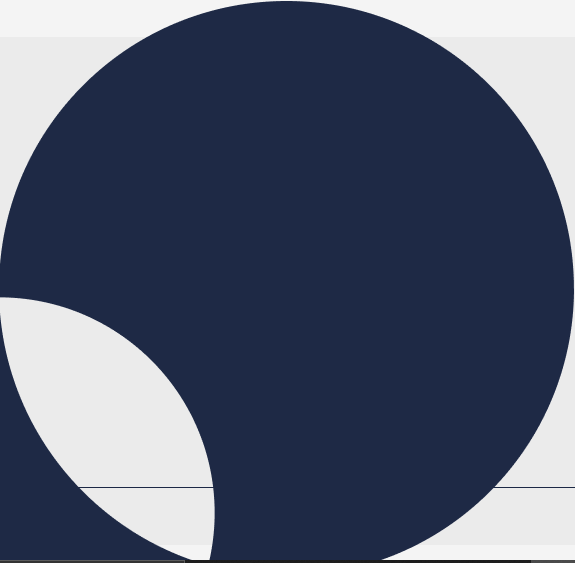
    Arkadaşlar bunu resim olarak yüklemenin dışında css ile yapılabilir mi clip-path var galiba ama bir türlü birebir aynısını yapamadım. Yardımcı olabilecek var mı ?


  • 23-05-2024, 15:54:49
    #2
    Chat gpt 4o ya yüklerseniz o size yardımcı olacaktır hocam.
  • 23-05-2024, 15:58:15
    #3
    <!DOCTYPE html>
    <html lang="tr">
    <head>
        <meta charset="UTF-8">
        <meta name="viewport" content="width=device-width, initial-scale=1.0">
        <title>Görüntü</title>
        <style>
            body, html {
                height: 100%;
                margin: 0;
                display: flex;
                justify-content: center;
                align-items: center;
                background-color: #f0f0f0;
            }
            .container {
                position: relative;
                width: 300px;
                height: 300px;
            }
            .circle1 {
                position: absolute;
                top: 0;
                left: 0;
                width: 100%;
                height: 100%;
                background-color: #14213d;
                border-radius: 50%;
                z-index: 1;
            }
            .circle2 {
                position: absolute;
                bottom: 0;
                left: 0;
                width: 50%;
                height: 50%;
                background-color: #f0f0f0;
                border-radius: 50%;
                z-index: 2;
            }
        </style>
    </head>
    <body>
        <div class="container">
            <div class="circle1"></div>
            <div class="circle2"></div>
        </div>
    </body>
    </html>
  • 23-05-2024, 16:05:55
    #4
    ultor adlı üyeden alıntı: mesajı görüntüle
    Chat gpt 4o ya yüklerseniz o size yardımcı olacaktır hocam.
    ücretli sürüm ben de yok hocam ya
  • 23-05-2024, 16:06:29
    #5
    AshaBilisim adlı üyeden alıntı: mesajı görüntüle
    <!DOCTYPE html>
    <html lang="tr">
    <head>
        <meta charset="UTF-8">
        <meta name="viewport" content="width=device-width, initial-scale=1.0">
        <title>Görüntü</title>
        <style>
            body, html {
                height: 100%;
                margin: 0;
                display: flex;
                justify-content: center;
                align-items: center;
                background-color: #f0f0f0;
            }
            .container {
                position: relative;
                width: 300px;
                height: 300px;
            }
            .circle1 {
                position: absolute;
                top: 0;
                left: 0;
                width: 100%;
                height: 100%;
                background-color: #14213d;
                border-radius: 50%;
                z-index: 1;
            }
            .circle2 {
                position: absolute;
                bottom: 0;
                left: 0;
                width: 50%;
                height: 50%;
                background-color: #f0f0f0;
                border-radius: 50%;
                z-index: 2;
            }
        </style>
    </head>
    <body>
        <div class="container">
            <div class="circle1"></div>
            <div class="circle2"></div>
        </div>
    </body>
    </html>
    Öncelikle teşekkür ederim hocam, fakat birebir aynısını vermiyor