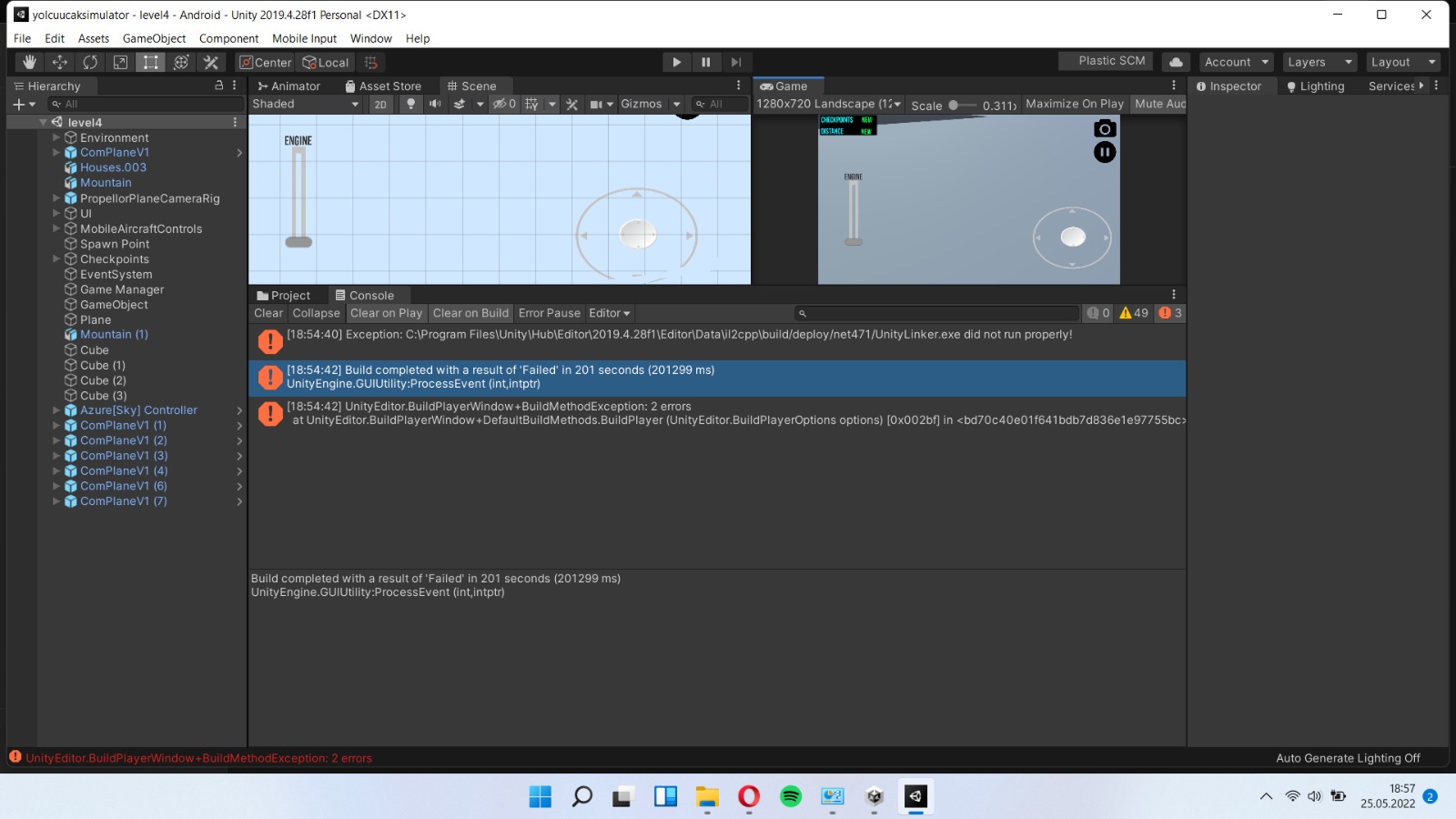
Exception: C:Program FilesUnityHubEditor2019.4.28f1EditorDatail2cppbuil d/deploy/net471/UnityLinker.exe did not run properly!
Failed running "C:Program FilesUnityHubEditor2019.4.28f1EditorDatail2cppbuil d/deploy/net471/UnityLinker.exe" @C:/Users/furka/Downloads/com.lotus.aircraft/com.lotus.aircraft/com.lotus.aircraft/yolcuucaksimulator/Temp/StagingArea/assets/bin/Data/Managed/response.rsp
stdout:
Fatal error in Unity CIL Linker
System.InvalidOperationException: No action for the assembly ClassLibrary1, Version=1.0.0.0, Culture=neutral, PublicKeyToken=null defined
konum: Mono.Linker.AnnotationStore.GetAction(AssemblyDefi nition assembly)
konum: Mono.Linker.Steps.MarkStep.IsFullyPreserved(TypeDe finition type)
konum: Mono.Linker.Steps.MarkStep.MarkType(TypeReference reference)
konum: Mono.Linker.Steps.MarkStep.MarkType(TypeReference reference)
konum: Mono.Linker.Steps.MarkStep.MarkGenericArguments(IG enericInstance instance)
konum: Mono.Linker.Steps.MarkStep.GetOriginalType(TypeRef erence type)
konum: Mono.Linker.Steps.MarkStep.MarkType(TypeReference reference)
konum: Mono.Linker.Steps.MarkStep.MarkField(FieldReferenc e reference)
konum: Unity.Linker.Steps.Marking.MonoBehaviourMarking.Ma rkNeededFields(TypeDefinition type)
konum: Unity.Linker.Steps.Marking.MonoBehaviourMarking.Do AdditionalTypeProcessing(TypeDefinition type)
konum: Unity.Linker.Steps.UnityMarkStep.DoAdditionalTypeP rocessing(TypeDefinition type)
konum: Mono.Linker.Steps.MarkStep.MarkType(TypeReference reference)
konum: Mono.Linker.Steps.MarkStep.MarkType(TypeReference reference)
konum: Mono.Linker.Steps.MarkStep.InitializeType(TypeDefi nition type)
konum: Mono.Linker.Steps.MarkStep.InitializeType(TypeDefi nition type)
konum: Mono.Linker.Steps.MarkStep.InitializeAssembly(Asse mblyDefinition assembly)
konum: Unity.Linker.Steps.UnityMarkStep.InitializeAssembl y(AssemblyDefinition assembly)
konum: Mono.Linker.Steps.MarkStep.Initialize()
konum: Mono.Linker.Steps.MarkStep.Process(LinkContext context)
konum: Unity.Linker.Steps.UnityMarkStep.Process(LinkConte xt context)
konum: Mono.Linker.Pipeline.ProcessStep(LinkContext context, IStep step)
konum: Unity.Linker.UnityPipeline.ProcessStep(LinkContext context, IStep step)
konum: Mono.Linker.Pipeline.Process(LinkContext context)
konum: Unity.Linker.UnityDriver.Run()
konum: Unity.Linker.UnityDriver.RunDriverWithoutErrorHand ling()
konum: Unity.Linker.UnityDriver.RunDriver()
stderr:
UnityEditorInternal.Runner.RunProgram (UnityEditor.Utils.Program p, System.String exe, System.String args, System.String workingDirectory, UnityEditor.Scripting.Compilers.CompilerOutputPars erBase parser) (at <bd70c40e01f641bdb7d836e1e97755bc>:0)
UnityEditorInternal.Runner.RunManagedProgram (System.String exe, System.String args, System.String workingDirectory, UnityEditor.Scripting.Compilers.CompilerOutputPars erBase parser, System.Action`1[T] setupStartInfo) (at <bd70c40e01f641bdb7d836e1e97755bc>:0)
UnityEditorInternal.AssemblyStripper.RunAssemblyLi nker (System.Collections.Generic.IEnumerable`1[T] args, System.String& out, System.String& err, System.String linkerPath, System.String workingDirectory) (at <bd70c40e01f641bdb7d836e1e97755bc>:0)
UnityEditorInternal.AssemblyStripper.StripAssembli esTo (System.String outputFolder, System.String& output, System.String& error, System.Collections.Generic.IEnumerable`1[T] linkXmlFiles, UnityEditorInternal.UnityLinkerRunInformation runInformation) (at <bd70c40e01f641bdb7d836e1e97755bc>:0)
UnityEditorInternal.AssemblyStripper.RunAssemblySt ripper (UnityEditorInternal.UnityLinkerRunInformation runInformation) (at <bd70c40e01f641bdb7d836e1e97755bc>:0)
UnityEditorInternal.AssemblyStripper.StripAssembli es (System.String managedAssemblyFolderPath, UnityEditorInternal.BaseUnityLinkerPlatformProvide r unityLinkerPlatformProvider, UnityEditorInternal.IIl2CppPlatformProvider il2cppPlatformProvider, UnityEditor.RuntimeClassRegistry rcr, UnityEditor.ManagedStrippingLevel managedStrippingLevel) (at <bd70c40e01f641bdb7d836e1e97755bc>:0)
UnityEditorInternal.IL2CPPBuilder.Run () (at <bd70c40e01f641bdb7d836e1e97755bc>:0)
UnityEditorInternal.IL2CPPUtils.RunIl2Cpp (System.String tempFolder, System.String stagingAreaData, UnityEditorInternal.IIl2CppPlatformProvider platformProvider, System.Action`1[T] modifyOutputBeforeCompile, UnityEditor.RuntimeClassRegistry runtimeClassRegistry) (at <bd70c40e01f641bdb7d836e1e97755bc>:0)
UnityEditor.Android.PostProcessor.Tasks.RunIl2Cpp. Execute (UnityEditor.Android.PostProcessor.PostProcessorCo ntext context) (at <d76da2c9a45b4b02b93f56ae560b1d44>:0)
UnityEditor.Android.PostProcessor.PostProcessRunne r.RunAllTasks (UnityEditor.Android.PostProcessor.PostProcessorCo ntext context) (at <d76da2c9a45b4b02b93f56ae560b1d44>:0)
UnityEditor.Android.PostProcessAndroidPlayer.PostP rocess (UnityEditor.BuildTarget target, System.String stagingAreaData, System.String stagingArea, System.String playerPackage, System.String installPath, System.String companyName, System.String productName, UnityEditor.BuildOptions options, UnityEditor.RuntimeClassRegistry usedClassRegistry, UnityEditor.Build.Reporting.BuildReport report) (at <d76da2c9a45b4b02b93f56ae560b1d44>:0)
UnityEditor.Android.AndroidBuildPostprocessor.Post Process (UnityEditor.Modules.BuildPostProcessArgs args, UnityEditor.BuildProperties& outProperties) (at <d76da2c9a45b4b02b93f56ae560b1d44>:0)
UnityEditor.PostprocessBuildPlayer.Postprocess (UnityEditor.BuildTargetGroup targetGroup, UnityEditor.BuildTarget target, System.String installPath, System.String companyName, System.String productName, System.Int32 width, System.Int32 height, UnityEditor.BuildOptions options, UnityEditor.RuntimeClassRegistry usedClassRegistry, UnityEditor.Build.Reporting.BuildReport report) (at <bd70c40e01f641bdb7d836e1e97755bc>:0)
UnityEngine.GUIUtility:ProcessEvent(Int32, IntPtr)