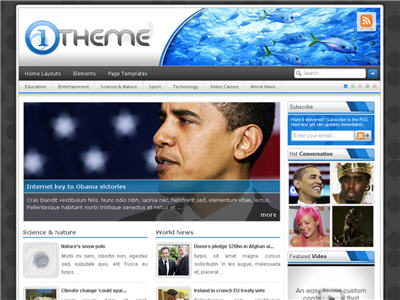
Arkadaşlar One Theme temasının manşet bölümünde çıkması gereken resmi bir türlü çıkaramadım. İçinizde kullanan yada bunu nasıl yapabileceğimi söyleyecek biri var mı?
Manşet bölümündeki resmin çıkması için bir açıklama yapmışlar ingilizce olarak ama ne yaparsam yapayım çıkaramadım. Açıklama şöyle:
Alıntı
If you see the "image pending" box this means the article doesn’t have the "Feature" custom field attached to it. Simply go back and edit the article, find the the "custom fields" box, enter "Feature" into the "Key" field, and the URL to your image in the "Value" field. For best results the image dimensions should be 145px × 178px.
Alıntı
NOTE: If you are using "News Layout" for your homepage, use the custom field "News" rather than "Feature".
For best results the image dimensions should be 637px × 296px.