• 19-06-2022, 01:03:14
    #10
    mucahitergul adlı üyeden alıntı: mesajı görüntüle
    5 Yıl olmuş hocam o konu açılalı belki yeri değişmiş olabilir. Burada kategori sayfalarındaki başlıkların arkaplanına görsel eklemeyi tarif etmişler. Sizde aynı şekilde kategorileriniz için uygun girişler oluşturabilirsiniz. Sadece girdiğiniz veriler göstermek için category.php dosyanızı biraz farklı şekilde düzenlemeniz gerekiyor.
    Evet.
    Bu makaleyede denk geldim aslında tam olarak sol tarafta yer alan menü bende gözükmüyor.
    ACF Pro eklentisini sınırlandırılmış olabilirler. (Envato üzerinden alınmış bir tema)
  • 19-06-2022, 01:14:55
    #11
    Kurumsal PLUS
    Merhabalar, özel mesaj ile tarafıma ulaşırsanız profesyonel destek sunabilirim konu hakkında. Panelinizde her kategori için ikinci bir açıklama alanı yaratırız, girdiğiniz içerikler belirttiğiniz kısımda gözükür.
  • 19-06-2022, 01:55:03
    #12
    turansonkaya adlı üyeden alıntı: mesajı görüntüle
    Selamlar,
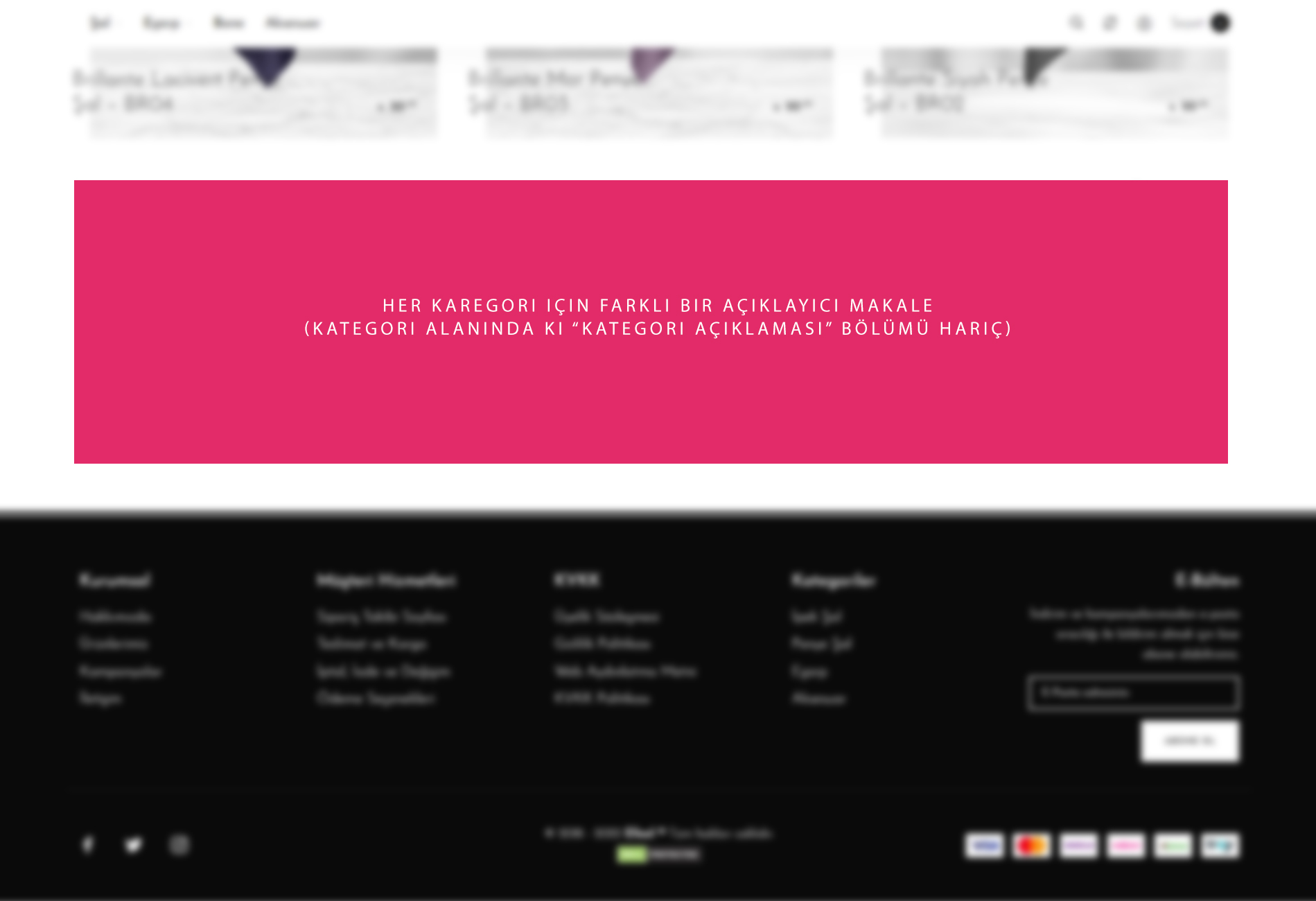
    WordPress üzerinde her ürün kategorisi için custom bir alan yaratıp kategorinin en altına sabitlemek istiyorum.
    Her kategori için farklı açıklamalar olacak.
    Bahsettiğim alan kategori içinde bulunan "Kategori Açıklaması" harici olacak şekilde bir yeni alan yaratmak istiyorum.
    Bunu yapabileceğim bir eklenti var mıdır?

            Class Kategori_ek_yazi {
                private $fieldsInfo = [
            array(
                "label" => "Kategori Ek Yazı Alanı",
                "type" => "textarea",
                "description" => "",
                "placeholder" => "",
                "name" => "kategoriekyazialani",
                "id" => "KategoriEkYazi_fields[kategoriekyazialani]",
            ),
             ];
            
                public function __construct() {
            
                    if ( is_admin() ) {
                        add_action("category_add_form_fields", [$this, "add_term_fields"], 10, 2);
                        add_action("category_edit_form_fields", [$this, "edit_term_fields"], 10, 2);
                        add_action("created_category", [$this, "save_meta"], 10, 2 );
                        add_action("edited_category", [$this, "update_meta"], 10, 2 );
                    }
                }
            
            
                private function generate_table_html( $label, $field, $desc ) {
                    return "<tr class='form-field'><th>$label</th><td>$field<p>$desc</p> </td></tr>";
                }
            
                private function generate_input_html($fieldtype, $field_id, $value="", $placeholder="") {
            
                    switch ($fieldtype) {
                        case "text":
                        return "<input id='$field_id' $placeholder value='$value' size='40' type='$fieldtype' name='$field_id'/>";
                            break;
                        case "textarea":
                            return "<textarea $placeholder name='$field_id' id='$field_id' rows='5' cols='40'>$value</textarea>";
                            break;
                        default:
                            return;
                    }
                }
            
            
                function add_term_fields() { // adding view
            
                    $fields = $this->fieldsInfo; $html;
            
                    foreach ($fields as $key=>$field) {
            
                        if(isset($field["placeholder"])) { $placeholder = "placeholder='".$field["placeholder"]."'"; }
                        else { $placeholder ='';}
                        $input = $this->generate_input_html($field["type"], $field["id"], "", $placeholder);
                        $html .= "<label for='".$field["id"]."'>".$field["label"]."</label>$input
                        <p>".$field["description"]."</p>";
                    }
            
                    $html = "<div class='form-field'>$html</div>";
            
                    echo $html;
            
                }
            
                function edit_term_fields($term) { // edit view
            
                    $fields = $this->fieldsInfo; $html;
            
                    foreach ($fields as $key=>$field) {
            
                        $value = get_term_meta($term->term_id, $field["name"], true);
            
                        if(isset($field["placeholder"])) {
                            $placeholder =  "placeholder='".$field["placeholder"]."'";
                        } else { $placeholder ="";}
            
                        $label = "<label for='".$field["id"]."'>".$field["label"]."</label>";
                        $input = $this->generate_input_html($field["type"], $field["id"], $value, $placeholder);
                        $html .= $this->generate_table_html($label, $input, $field["description"]);
                    }
            
                    echo $html;
                    
                }
            
                function save_meta($term_id) {
                    if( isset( $_POST["KategoriEkYazi_fields"] ) ) {
                        foreach ($_POST["KategoriEkYazi_fields"] as $key => $value) {
                            update_term_meta($term_id, $key, sanitize_text_field($value));  
                        }
                    }
                }
            
                function update_meta($term_id){
                    if( isset( $_POST["KategoriEkYazi_fields"] ) ) {
                        foreach ($_POST["KategoriEkYazi_fields"] as $key => $value) {
                            update_term_meta($term_id, $key, sanitize_text_field($value));
                        }
                    }
                }
            }
            
            if (class_exists("Kategori_ek_yazi")) {
                new Kategori_ek_yazi;
            };
    Yukarıdaki kodlar fazlasıyla işinizi görecektir.

    get_term_meta('kategori_id_buraya_gelecek', 'kategoriekyazialani ', true) // Veri Çağırma
    Aceleyle yazdım kaba taslak istediğiniz şey yukardaki kodlardır kendinize göre düzenleyip kullanırsınız
  • 19-06-2022, 10:36:33
    #13
    harew1 adlı üyeden alıntı: mesajı görüntüle
            Class Kategori_ek_yazi {
                private $fieldsInfo = [
            array(
                "label" => "Kategori Ek Yazı Alanı",
                "type" => "textarea",
                "description" => "",
                "placeholder" => "",
                "name" => "kategoriekyazialani",
                "id" => "KategoriEkYazi_fields[kategoriekyazialani]",
            ),
             ];
            
                public function __construct() {
            
                    if ( is_admin() ) {
                        add_action("category_add_form_fields", [$this, "add_term_fields"], 10, 2);
                        add_action("category_edit_form_fields", [$this, "edit_term_fields"], 10, 2);
                        add_action("created_category", [$this, "save_meta"], 10, 2 );
                        add_action("edited_category", [$this, "update_meta"], 10, 2 );
                    }
                }
            
            
                private function generate_table_html( $label, $field, $desc ) {
                    return "<tr class='form-field'><th>$label</th><td>$field<p>$desc</p> </td></tr>";
                }
            
                private function generate_input_html($fieldtype, $field_id, $value="", $placeholder="") {
            
                    switch ($fieldtype) {
                        case "text":
                        return "<input id='$field_id' $placeholder value='$value' size='40' type='$fieldtype' name='$field_id'/>";
                            break;
                        case "textarea":
                            return "<textarea $placeholder name='$field_id' id='$field_id' rows='5' cols='40'>$value</textarea>";
                            break;
                        default:
                            return;
                    }
                }
            
            
                function add_term_fields() { // adding view
            
                    $fields = $this->fieldsInfo; $html;
            
                    foreach ($fields as $key=>$field) {
            
                        if(isset($field["placeholder"])) { $placeholder = "placeholder='".$field["placeholder"]."'"; }
                        else { $placeholder ='';}
                        $input = $this->generate_input_html($field["type"], $field["id"], "", $placeholder);
                        $html .= "<label for='".$field["id"]."'>".$field["label"]."</label>$input
                        <p>".$field["description"]."</p>";
                    }
            
                    $html = "<div class='form-field'>$html</div>";
            
                    echo $html;
            
                }
            
                function edit_term_fields($term) { // edit view
            
                    $fields = $this->fieldsInfo; $html;
            
                    foreach ($fields as $key=>$field) {
            
                        $value = get_term_meta($term->term_id, $field["name"], true);
            
                        if(isset($field["placeholder"])) {
                            $placeholder =  "placeholder='".$field["placeholder"]."'";
                        } else { $placeholder ="";}
            
                        $label = "<label for='".$field["id"]."'>".$field["label"]."</label>";
                        $input = $this->generate_input_html($field["type"], $field["id"], $value, $placeholder);
                        $html .= $this->generate_table_html($label, $input, $field["description"]);
                    }
            
                    echo $html;
                    
                }
            
                function save_meta($term_id) {
                    if( isset( $_POST["KategoriEkYazi_fields"] ) ) {
                        foreach ($_POST["KategoriEkYazi_fields"] as $key => $value) {
                            update_term_meta($term_id, $key, sanitize_text_field($value));  
                        }
                    }
                }
            
                function update_meta($term_id){
                    if( isset( $_POST["KategoriEkYazi_fields"] ) ) {
                        foreach ($_POST["KategoriEkYazi_fields"] as $key => $value) {
                            update_term_meta($term_id, $key, sanitize_text_field($value));
                        }
                    }
                }
            }
            
            if (class_exists("Kategori_ek_yazi")) {
                new Kategori_ek_yazi;
            };
    Yukarıdaki kodlar fazlasıyla işinizi görecektir.

    get_term_meta('kategori_id_buraya_gelecek', 'kategoriekyazialani ', true) // Veri Çağırma
    Aceleyle yazdım kaba taslak istediğiniz şey yukardaki kodlardır kendinize göre düzenleyip kullanırsınız
    Emeğin, yardımların için teşekkür ederim.
    Kodu kullanmaya çalıştığımda bir kaç hata aldım.
    Araştırmalarım sonucu amacımı birebir karşılayan bir fonksiyon buldum.
    İhtiyacı olan arkadaşlar tema lokasyonunuzun içinde bulunan "functions.php" dosyasının en altına ekleyerek kullanabilirsiniz.

    Kaynak

    // 1. Display field on "Add new product category" admin page
     
    add_action( 'product_cat_add_form_fields', 'bbloomer_wp_editor_add', 10, 2 );
     
    function bbloomer_wp_editor_add() {
        ?>
        <div class="form-field">
            <label for="seconddesc"><?php echo __( 'Second Description', 'woocommerce' ); ?></label>
           
          <?php
          $settings = array(
             'textarea_name' => 'seconddesc',
             'quicktags' => array( 'buttons' => 'em,strong,link' ),
             'tinymce' => array(
                'theme_advanced_buttons1' => 'bold,italic,strikethrough,separator,bullist,numlist,separator,blockquote,separator,justifyleft,justifycenter,justifyright,separator,link,unlink,separator,undo,redo,separator',
                'theme_advanced_buttons2' => '',
             ),
             'editor_css' => '<style>#wp-excerpt-editor-container .wp-editor-area{height:175px; width:100%;}</style>',
          );
     
          wp_editor( '', 'seconddesc', $settings );
          ?>
           
            <p class="description"><?php echo __( 'This is the description that goes BELOW products on the category page', 'woocommerce' ); ?></p>
        </div>
        <?php
    }
     
    // ---------------
    // 2. Display field on "Edit product category" admin page
     
    add_action( 'product_cat_edit_form_fields', 'bbloomer_wp_editor_edit', 10, 2 );
     
    function bbloomer_wp_editor_edit( $term ) {
        $second_desc = htmlspecialchars_decode( get_woocommerce_term_meta( $term->term_id, 'seconddesc', true ) );
        ?>
        <tr class="form-field">
            <th scope="row" valign="top"><label for="second-desc"><?php echo __( 'Second Description', 'woocommerce' ); ?></label></th>
            <td>
                <?php
              
             $settings = array(
                'textarea_name' => 'seconddesc',
                'quicktags' => array( 'buttons' => 'em,strong,link' ),
                'tinymce' => array(
                   'theme_advanced_buttons1' => 'bold,italic,strikethrough,separator,bullist,numlist,separator,blockquote,separator,justifyleft,justifycenter,justifyright,separator,link,unlink,separator,undo,redo,separator',
                   'theme_advanced_buttons2' => '',
                ),
                'editor_css' => '<style>#wp-excerpt-editor-container .wp-editor-area{height:175px; width:100%;}</style>',
             );
     
             wp_editor( $second_desc, 'seconddesc', $settings );
             ?>
           
                <p class="description"><?php echo __( 'This is the description that goes BELOW products on the category page', 'woocommerce' ); ?></p>
            </td>
        </tr>
        <?php
    }
     
    // ---------------
    // 3. Save field @ admin page
     
    add_action( 'edit_term', 'bbloomer_save_wp_editor', 10, 3 );
    add_action( 'created_term', 'bbloomer_save_wp_editor', 10, 3 );
     
    function bbloomer_save_wp_editor( $term_id, $tt_id = '', $taxonomy = '' ) {
       if ( isset( $_POST['seconddesc'] ) && 'product_cat' === $taxonomy ) {
          update_woocommerce_term_meta( $term_id, 'seconddesc', esc_attr( $_POST['seconddesc'] ) );
       }
    }
     
    // ---------------
    // 4. Display field under products @ Product Category pages 
     
    add_action( 'woocommerce_after_shop_loop', 'bbloomer_display_wp_editor_content', 5 );
     
    function bbloomer_display_wp_editor_content() {
       if ( is_product_taxonomy() ) {
          $term = get_queried_object();
          if ( $term && ! empty( get_woocommerce_term_meta( $term->term_id, 'seconddesc', true ) ) ) {
             echo '<p class="term-description">' . wc_format_content( htmlspecialchars_decode( get_woocommerce_term_meta( $term->term_id, 'seconddesc', true ) ) ) . '</p>';
          }
       }
    }
  • 19-06-2022, 11:06:56
    #14
    turansonkaya adlı üyeden alıntı: mesajı görüntüle
    Emeğin, yardımların için teşekkür ederim.
    Kodu kullanmaya çalıştığımda bir kaç hata aldım.
    Araştırmalarım sonucu amacımı birebir karşılayan bir fonksiyon buldum.
    İhtiyacı olan arkadaşlar tema lokasyonunuzun içinde bulunan "functions.php" dosyasının en altına ekleyerek kullanabilirsiniz.

    Kaynak

    // 1. Display field on "Add new product category" admin page
     
    add_action( 'product_cat_add_form_fields', 'bbloomer_wp_editor_add', 10, 2 );
     
    function bbloomer_wp_editor_add() {
        ?>
        <div class="form-field">
            <label for="seconddesc"><?php echo __( 'Second Description', 'woocommerce' ); ?></label>
          
          <?php
          $settings = array(
             'textarea_name' => 'seconddesc',
             'quicktags' => array( 'buttons' => 'em,strong,link' ),
             'tinymce' => array(
                'theme_advanced_buttons1' => 'bold,italic,strikethrough,separator,bullist,numlist,separator,blockquote,separator,justifyleft,justifycenter,justifyright,separator,link,unlink,separator,undo,redo,separator',
                'theme_advanced_buttons2' => '',
             ),
             'editor_css' => '<style>#wp-excerpt-editor-container .wp-editor-area{height:175px; width:100%;}</style>',
          );
     
          wp_editor( '', 'seconddesc', $settings );
          ?>
          
            <p class="description"><?php echo __( 'This is the description that goes BELOW products on the category page', 'woocommerce' ); ?></p>
        </div>
        <?php
    }
     
    // ---------------
    // 2. Display field on "Edit product category" admin page
     
    add_action( 'product_cat_edit_form_fields', 'bbloomer_wp_editor_edit', 10, 2 );
     
    function bbloomer_wp_editor_edit( $term ) {
        $second_desc = htmlspecialchars_decode( get_woocommerce_term_meta( $term->term_id, 'seconddesc', true ) );
        ?>
        <tr class="form-field">
            <th scope="row" valign="top"><label for="second-desc"><?php echo __( 'Second Description', 'woocommerce' ); ?></label></th>
            <td>
                <?php
              
             $settings = array(
                'textarea_name' => 'seconddesc',
                'quicktags' => array( 'buttons' => 'em,strong,link' ),
                'tinymce' => array(
                   'theme_advanced_buttons1' => 'bold,italic,strikethrough,separator,bullist,numlist,separator,blockquote,separator,justifyleft,justifycenter,justifyright,separator,link,unlink,separator,undo,redo,separator',
                   'theme_advanced_buttons2' => '',
                ),
                'editor_css' => '<style>#wp-excerpt-editor-container .wp-editor-area{height:175px; width:100%;}</style>',
             );
     
             wp_editor( $second_desc, 'seconddesc', $settings );
             ?>
          
                <p class="description"><?php echo __( 'This is the description that goes BELOW products on the category page', 'woocommerce' ); ?></p>
            </td>
        </tr>
        <?php
    }
     
    // ---------------
    // 3. Save field @ admin page
     
    add_action( 'edit_term', 'bbloomer_save_wp_editor', 10, 3 );
    add_action( 'created_term', 'bbloomer_save_wp_editor', 10, 3 );
     
    function bbloomer_save_wp_editor( $term_id, $tt_id = '', $taxonomy = '' ) {
       if ( isset( $_POST['seconddesc'] ) && 'product_cat' === $taxonomy ) {
          update_woocommerce_term_meta( $term_id, 'seconddesc', esc_attr( $_POST['seconddesc'] ) );
       }
    }
     
    // ---------------
    // 4. Display field under products @ Product Category pages
     
    add_action( 'woocommerce_after_shop_loop', 'bbloomer_display_wp_editor_content', 5 );
     
    function bbloomer_display_wp_editor_content() {
       if ( is_product_taxonomy() ) {
          $term = get_queried_object();
          if ( $term && ! empty( get_woocommerce_term_meta( $term->term_id, 'seconddesc', true ) ) ) {
             echo '<p class="term-description">' . wc_format_content( htmlspecialchars_decode( get_woocommerce_term_meta( $term->term_id, 'seconddesc', true ) ) ) . '</p>';
          }
       }
    }
    Benim verdiğim kod wordpress kategori alanı için sizin istediğiniz woocommerce içinmiş, kalsın iki kodda işe yarar iki kodda.
  • 18-04-2025, 01:27:32
    #15
    Kurumsal PLUS
    💡 Merhaba, aradığınız ürün elimizde bulunmakta. İletişime geçerseniz hemen sağlayabiliriz.

    Uygun fiyatlıdır.
    ✅ %100 güvenilirdir.
    ✅ Garantilidir.
    ✅ Orijinaldir.
    ✅ Lisanslıdır.
    ✅ Güncelleme alır.
    ✅ Son sürümdür.

    ❌ Ürünlerimiz GPL değildir.
    ❌ Ürünlerimiz W4rez değildir.
    ❌ Ürünlerimiz Crack değildir.
    ❌ Ürünlerimiz deneme sürüm değildir

    📢 Ana Konu linkimiz: https://www.r10.net/wordpress-eklent...ratepress.html

    🟢 WhatsApp destek hattı: https://wa.me/905363991877