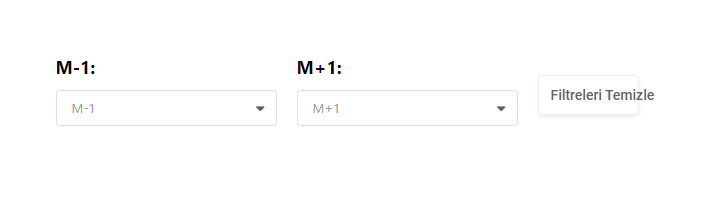
Merhaba sitemde bu kodun olduğu tabloyu Popup olarak açmak istiyorum nasıl bir değişiklik yapmam gerekli

<?php do_action('wpdatatables_before_filtering_form', $this->getWpId()); ?>
    <div class="wpDataTables wpDataTablesFilter wpDataTablesWrapper wdt-skin-<?php echo $this->getTableSkin(); ?> <?php echo apply_filters('wdt_add_class_to_filter_in_form_element', $this->getCSSClasses(), $this->getWpId()) ?>"
         data-wpdatatable_id="<?php echo $this->getWpId(); ?>">
        <div id="filterBox_<?php echo $this->getId() ?>" class="wpDataTableFilterBox">
            <?php foreach ($this->getColumns() as $key => $dataColumn) { ?>
                <?php
                /** @var $dataColumn WDTColumn */
                if ($dataColumn->getFilterType() != 'null') {
                    ?>
                    <div class="wpDataTableFilterSection" id="<?php echo $this->getId() . '_' . $key . '_filter' ?>_sections">
                        <label><?php echo $dataColumn->getFilterLabel() ? $dataColumn->getFilterLabel() : $dataColumn->getTitle() ?>:</label>
                        <div id="<?php echo $this->getId() . '_' . $key . '_filter' ?>"></div>
                    </div>
                <?php } ?>
            <?php }
            if ($this->isClearFilters()) { ?>
                <div class="wpDataTableFilterSection" id="wdt-clear-filters-button-block">
                    <button class="button btn wdt-clear-filters-button" data-table_id = <?php echo $this->getId() ?>><?php _e('Clear filters', 'wpdatatables'); ?></button>
                </div>
            <?php } ?>
            <?php
            if (isset($this->showSearchFiltersButton) && isset($this->disableSearchFiltersButton)) {
                do_action('wpdatatables_filtering_form_search_button', $this->showSearchFiltersButton, $this->disableSearchFiltersButton);
            }
            ?>
        </div>
    </div>
<?php do_action('wpdatatables_after_filtering_form', $this->getWpId()); ?>