• 02-08-2020, 08:15:47
    #1
    Öncelikle herkesin kurban bayramını kutlarım,

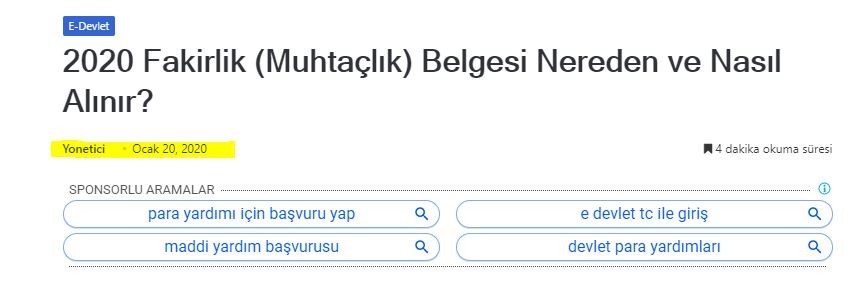
    Birçok sitede gözüme çarpıyor, eski bir yazıyı yeni yazı olarak google'da nasıl gösteriyorlar ?

    Örneğin yazı ocak ayında yazılmış fakat sitesinde 1 ağustos da yazılmış gibi gösterip google nezdinde güncel site imajı veriliyor..

    Örnek yazı : Yazı


    Bu nasıl oluyor bilgisi olan arkadaş paylaşabilir mi acaba?
  • 02-08-2020, 08:28:01
    #2
    İçeri güncelliyor daha sonra tarihi güncelliyor. SEO için harika bir yöntemdir.
  • 02-08-2020, 08:34:16
    #3
    Üyeliği durduruldu
    Bildiğim kadarı ile yazi içi guncelememe yapıp ileri tarihe alıyorsun
  • 02-08-2020, 08:36:49
    #4
    cleiner adlı üyeden alıntı: mesajı görüntüle
    İçeri güncelliyor daha sonra tarihi güncelliyor. SEO için harika bir yöntemdir.
    İçeriğin 1 cümle güncellenmesi yeterlimi ? Bir kriteri var mı ?
  • 02-08-2020, 09:43:40
    #5
    Foxi adlı üyeden alıntı: mesajı görüntüle
    İçeriğin 1 cümle güncellenmesi yeterlimi ? Bir kriteri var mı ?
    Ne kadar kaliteli hale gelirse makale o kadar iyi.
  • 02-08-2020, 10:11:08
    #6
    functions.php ye aşağıdaki kod yazın

    function wpb_last_updated_date( $content ) {
    $u_time = get_the_time('U'); 
    $u_modified_time = get_the_modified_time('U'); 
    if ($u_modified_time >= $u_time + 86400) { 
    $updated_date = get_the_modified_time('F jS, Y');
    $updated_time = get_the_modified_time('h:i a'); 
    $custom_content .= '<p class="last-updated">Last updated on '. $updated_date . ' at '. $updated_time .'</p>';  
    } 
     
        $custom_content .= $content;
        return $custom_content;
    }
    add_filter( 'the_content', 'wpb_last_updated_date' );
    style.css ye aşağıdaki kod yerleştirin

    .last-updated {
        font-size: small;
        text-transform: uppercase;
        background-color: #fffdd4;
    }
  • 02-08-2020, 10:38:13
    #7
    KOLCU adlı üyeden alıntı: mesajı görüntüle
    functions.php ye aşağıdaki kod yazın

    function wpb_last_updated_date( $content ) {
    $u_time = get_the_time('U');
    $u_modified_time = get_the_modified_time('U');
    if ($u_modified_time >= $u_time + 86400) {
    $updated_date = get_the_modified_time('F jS, Y');
    $updated_time = get_the_modified_time('h:i a');
    $custom_content .= '<p class="last-updated">Last updated on '. $updated_date . ' at '. $updated_time .'</p>';  
    }
     
        $custom_content .= $content;
        return $custom_content;
    }
    add_filter( 'the_content', 'wpb_last_updated_date' );
    style.css ye aşağıdaki kod yerleştirin

    .last-updated {
        font-size: small;
        text-transform: uppercase;
        background-color: #fffdd4;
    }
    Teşekkürler kod için peki şöyle bir sorum olacak makalenin oluşturma tarihine 86400 ekleyerek modifiye tarihi atıyor.. Bu 86400 değişken yapma şansımız varmı ? Yani rasgele 10-20 dk aralığında bir süre üretsin..
  • 02-08-2020, 10:38:40
    #8
    KOLCU adlı üyeden alıntı: mesajı görüntüle
    functions.php ye aşağıdaki kod yazın

    function wpb_last_updated_date( $content ) {
    $u_time = get_the_time('U');
    $u_modified_time = get_the_modified_time('U');
    if ($u_modified_time >= $u_time + 86400) {
    $updated_date = get_the_modified_time('F jS, Y');
    $updated_time = get_the_modified_time('h:i a');
    $custom_content .= '<p class="last-updated">Last updated on '. $updated_date . ' at '. $updated_time .'</p>';  
    }
     
        $custom_content .= $content;
        return $custom_content;
    }
    add_filter( 'the_content', 'wpb_last_updated_date' );
    style.css ye aşağıdaki kod yerleştirin

    .last-updated {
        font-size: small;
        text-transform: uppercase;
        background-color: #fffdd4;
    }
    Bunu yapmamda yardımcı olur musunuz?