• 10-05-2020, 17:26:00
    #1
    Üyeliği durduruldu
    <?php
    
    use WHMCS\ClientArea;
    use WHMCS\Database\Capsule;
    
    define('CLIENTAREA', true);
    
    require __DIR__ . '/init.php';
    
    $ca = new ClientArea();
    
    $ca->setPageTitle('Your Page Title Goes Here');
    
    $ca->addToBreadCrumb('index.php', Lang::trans('globalsystemname'));
    $ca->addToBreadCrumb('mypage.php', 'Your Custom Page Name');
    
    $ca->initPage();
    
    //$ca->requireLogin(); // Uncomment this line to require a login to access this page
    
    // To assign variables to the template system use the following syntax.
    // These can then be referenced using {$variablename} in the template.
    
    //$ca->assign('variablename', $value);
    
    // Check login status
    if ($ca->isLoggedIn()) {
    
    /**
    * User is logged in - put any code you like here
    *
    * Here's an example to get the currently logged in clients first name
    */
    
    $clientName = Capsule::table('tblclients')
    ->where('id', '=', $ca->getUserID())->pluck('firstname');
    // 'pluck' was renamed within WHMCS 7.0. Replace it with 'value' instead.
    // ->where('id', '=', $ca->getUserID())->value('firstname');
    $ca->assign('clientname', $clientName);
    
    } else {
    
    // User is not logged in
    $ca->assign('clientname', 'Random User');
    
    }
    
    /**
    * Set a context for sidebars
    *
    * @link http://docs.whmcs.com/Editing_Client_Area_Menus#Context
    */
    Menu::addContext();
    
    /**
    * Setup the primary and secondary sidebars
    *
    * @link http://docs.whmcs.com/Editing_Client_Area_Menus#Context
    */
    Menu::primarySidebar('announcementList');
    Menu::secondarySidebar('announcementList');
    
    # Define the template filename to be used without the .tpl extension
    
    $ca->setTemplate('mypage');
    
    $ca->output();
    sayfayı bu şekilde mypage.tpl ye yönlendircek şekilde ayarlıyorum fakat açıldığında buşekilde hata veriyor whmcs sürüm 7.9.1


  • 10-05-2020, 19:40:19
    #2
    Reveloper
    Kurulum > genel ayarlar > diğer > ekran hatalarını

    Aktif edip görsel iletin bakalım
  • 10-05-2020, 19:41:11
    #3
    OSLO adlı üyeden alıntı: mesajı görüntüle
    <?php
    
    use WHMCS\ClientArea;
    use WHMCS\Database\Capsule;
    
    define('CLIENTAREA', true);
    
    require __DIR__ . '/init.php';
    
    $ca = new ClientArea();
    
    $ca->setPageTitle('Your Page Title Goes Here');
    
    $ca->addToBreadCrumb('index.php', Lang::trans('globalsystemname'));
    $ca->addToBreadCrumb('mypage.php', 'Your Custom Page Name');
    
    $ca->initPage();
    
    //$ca->requireLogin(); // Uncomment this line to require a login to access this page
    
    // To assign variables to the template system use the following syntax.
    // These can then be referenced using {$variablename} in the template.
    
    //$ca->assign('variablename', $value);
    
    // Check login status
    if ($ca->isLoggedIn()) {
    
    /**
    * User is logged in - put any code you like here
    *
    * Here's an example to get the currently logged in clients first name
    */
    
    $clientName = Capsule::table('tblclients')
    ->where('id', '=', $ca->getUserID())->pluck('firstname');
    // 'pluck' was renamed within WHMCS 7.0. Replace it with 'value' instead.
    // ->where('id', '=', $ca->getUserID())->value('firstname');
    $ca->assign('clientname', $clientName);
    
    } else {
    
    // User is not logged in
    $ca->assign('clientname', 'Random User');
    
    }
    
    /**
    * Set a context for sidebars
    *
    * @link http://docs.whmcs.com/Editing_Client_Area_Menus#Context
    */
    Menu::addContext();
    
    /**
    * Setup the primary and secondary sidebars
    *
    * @link http://docs.whmcs.com/Editing_Client_Area_Menus#Context
    */
    Menu::primarySidebar('announcementList');
    Menu::secondarySidebar('announcementList');
    
    # Define the template filename to be used without the .tpl extension
    
    $ca->setTemplate('mypage');
    
    $ca->output();
    sayfayı bu şekilde mypage.tpl ye yönlendircek şekilde ayarlıyorum fakat açıldığında buşekilde hata veriyor whmcs sürüm 7.9.1
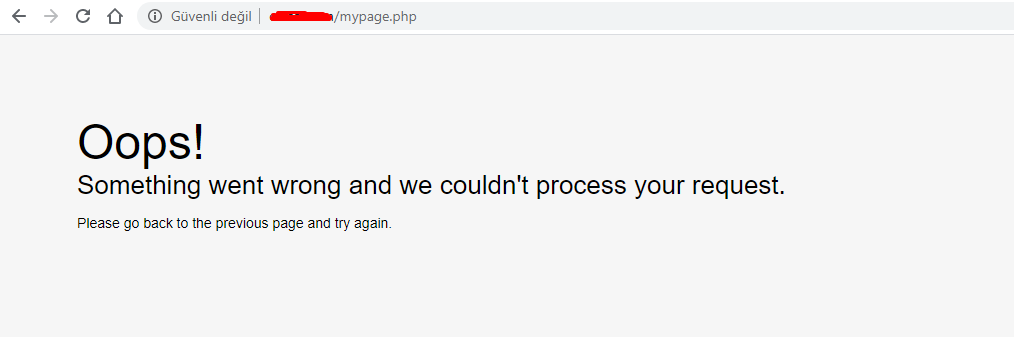
    Panelinizden hata çıktısı almayı aktif edin ve çıktıyı burada paylaşın.
  • 10-05-2020, 19:43:00
    #4
    Üyeliği durduruldu
    Burti adlı üyeden alıntı: mesajı görüntüle
    Kurulum > genel ayarlar > diğer > ekran hatalarını

    Aktif edip görsel iletin bakalım
    yalinyalniz adlı üyeden alıntı: mesajı görüntüle
    Panelinizden hata çıktısı almayı aktif edin ve çıktıyı burada paylaşın.
    http://prntscr.com/se8ijs
  • 10-05-2020, 19:47:32
    #5
    OSLO adlı üyeden alıntı: mesajı görüntüle
    Değişken(variable) ataması yapın. İnternette araştırsanız da benzer sonuçlar çıkıyor
  • 10-05-2020, 19:48:46
    #6
    Kurumsal PLUS
    <?php
    use WHMCS\Database\Capsule;
    define("CLIENTAREA", true);
    require("init.php");
    $ca = new WHMCS_ClientArea();
    $ca->setPageTitle("Yardım");
    $ca->addToBreadCrumb('index.php', Lang::trans('globalsystemname'));
    $ca->addToBreadCrumb('yardim.php', 'Yardım');
    $ca->initPage();
    $ca->setTemplate('yardim');
    $ca->output();
     ?>
    Bu şekilde ekler misin ? @OSLO;
  • 10-05-2020, 19:49:09
    #7
    Üyeliği durduruldu
    yalinyalniz adlı üyeden alıntı: mesajı görüntüle
    Değişken(variable) ataması yapın. İnternette araştırsanız da benzer sonuçlar çıkıyor
    hocam nasıl nerden yapılcağını söyleyebilme imkanınız varmı.


    WebxGroup adlı üyeden alıntı: mesajı görüntüle
    <?php
    use WHMCS\Database\Capsule;
    define("CLIENTAREA", true);
    require("init.php");
    $ca = new WHMCS_ClientArea();
    $ca->setPageTitle("Yardım");
    $ca->addToBreadCrumb('index.php', Lang::trans('globalsystemname'));
    $ca->addToBreadCrumb('yardim.php', 'Yardım');
    $ca->initPage();
    $ca->setTemplate('yardim');
    $ca->output();
     ?>
    Bu şekilde ekler misin ? @OSLO;


    Teşekkürler hocam çözüldü.