
tailwindcss build -i styles/tailwindcss.css -o assets/styles.css
bu şekilde build etttiğim css dosyası çalışıyor fakat burdaki stiller chrome da çıkmıyor yani düz html şeklinde çalışıyor.
EJS kullanıyorum
projeye start verdiğimde build edilen css dosyasına css kodları gelmiş oluyor fakat dediğim gibi düz html gibi sayfa
Klasör yapısı
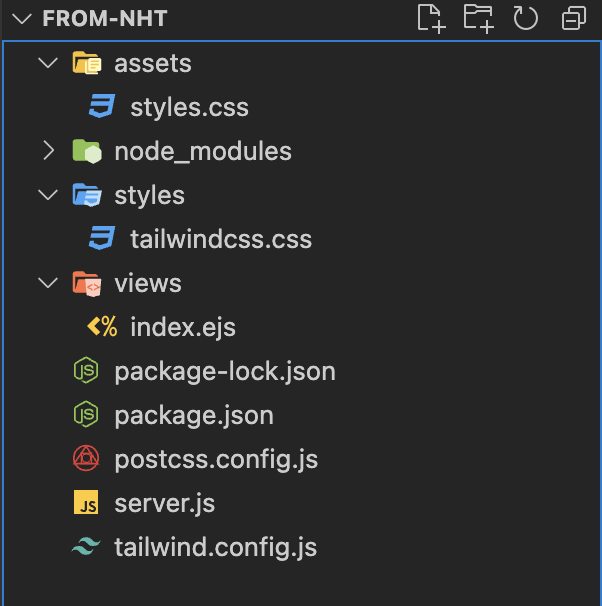
Server.js
const express = require("express");
const app = express();
const path = require("path");
app.set('view engine', 'ejs');
app.set('views', path.join(__dirname, 'views'));
app.use('/assets', express.static(path.join(__dirname, 'assets')))


app.get("/", (req,res) => {
    res.render('index', {});
})
app.listen(3000, () => {
    console.log('running on port 3000');
})
tailwind config/** @type {import('tailwindcss').Config} */
module.exports = {
content: ["./views/*.{html,js,ejs}"],
theme: {
extend: {},
},
plugins: [],
} 