
Kodlar aşağıda yer almakta. teşekkür ederim.
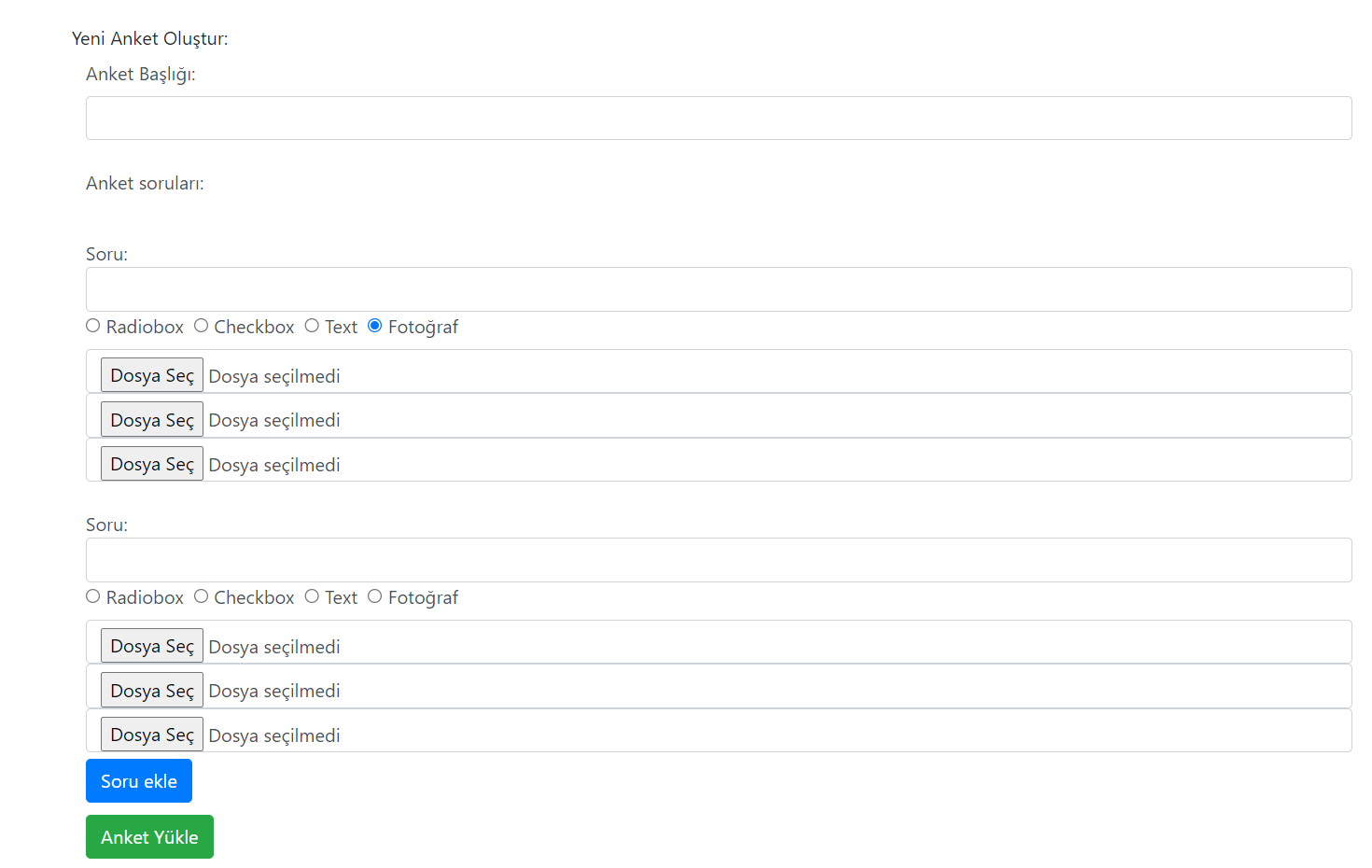
<div class="container" style="margin-top: 5%">
    <div class="row">
        <div class="col-md-12">
            <div class="panel panel-default">
                <div class="panel-heading">Yeni Anket Oluştur:</div>
                <div class="panel-group">
                    <form action="<?php $_SERVER['PHP_SELF']; ?>" method="POST" class="form-control" style="height: 700px; border: none" id="survey-form">
                        <label>Anket Başlığı: </label>
                        <input id="survey_title" name="survey_title" type="text" class="form-control input-group" />
                        <input id="qnum" name="qnum" type="hidden" value="" style="background-color:red;" />
                        <input id="choicenum" name="choicenum" type="hidden" value="" />
                        <br />
                        <label>Anket soruları:</label>
                        <div id="sorular">
                        </div>
                        <button id="addq" class="btn btn-primary" type="button" style="display: block; margin-top: 5px;"><span class="glyphicon "></span>Soru ekle</button>
                        <button id="uploadsurvey" class="btn btn-success" type="submit" name="uploadsurvey" style="display: block; margin-top: 10px">Anket Yükle</button>

                    </form>
                </div>
            </div>
        </div>
    </div>
</div>
$(document).ready(function(numOfQuestions) {
var i = 0;
var fonk = 0;
var numOfQuestions = 0;
var choice_c = 1;
$("#addq").click(function() {
numOfQuestions++;
i++;
fonk++;
$("#sorular").append("<div id='newq' style='margin-top: 5px; margin-bottom: 5px'></div>");
$("#newq").append("</br>Soru: <input type='text' name='q" + i + "' class='form-control' style='display: inline-block' id='q" + i + "'/>");
$("#qnum").attr("value", numOfQuestions);
$("#newq").append("<label><input type='radio' name='radio" + i + "' value='radio' class='choices radiobox' id='radiobox" + i + "'/> Radiobox </label>");
$("#newq").append("<label><input type='radio' name='radio" + i + "' value='check' class='choices checkbox' id='checkbox" + i + "'/> Checkbox </label>");
$("#newq").append("<label><input type='radio' name='radio" + i + "' value='text' class='choices textbox' id='textbox" + i + "'/> Text </label>");
$("#newq").append("<label><input type='radio' name='radio" + i + "' value='file' class='choices filebox' id='filebox" + i + "'/> Fotoğraf </label>");
$("#newq").append("<input type='text' class='form-control qchoice' name='radiochoice" + choice_c + "_q" + i + "' id='radiochoice" + choice_c + "' title='q" + i + "' style='display: none'/>");
choice_c++;
$("#newq").append("<input type='text' class='form-control qchoice' name='radiochoice" + choice_c + "_q" + i + "' id='radiochoice" + choice_c + "' title='q" + i + "' style='display: none'/>");
choice_c
$("#newq").append("<button id='radiobtn" + i + "' type='button' class='btn btn-primary add-radio-choice' style='display: none'><span class='glyphicon glyphicon-plus'></span>Şık ekle</button>");
$("#newq").append("<button id='checkbtn" + i + "' type='button' class='btn btn-primary add-checkbox-choice' style='display: none'><span class='glyphicon glyphicon-plus'></span>Şık ekle</button>");
$("#newq").append("<button id='textbox" + i + "' type='button' class='btn btn-primary add-textbox-choice' style='display: none'><span class='glyphicon glyphicon-plus'></span>Şık ekle</button>");
$("#newq").append("<input id='filebox" + i + "' type='file' class='form-control add-filebox-choice' style='display: none'> <span class='glyphicon glyphicon-plus'></span>");
$("#newq").append("<input id='filebox" + i + "' type='file' class='form-control add-filebox-choice' style='display: none'> <span class='glyphicon glyphicon-plus'></span>");
$("#newq").append("<input id='filebox" + i + "' type='file' class='form-control add-filebox-choice' style='display: none'> <span class='glyphicon glyphicon-plus'></span>");
});
$(document.body).on('change', '.choices', function() {
if ($(".radiobox").is(":checked")) { //Radio Button'a tıklandığında
$(".add-radio-choice").show(); //radio seçenekleri
$(".add-checkbox-choice").hide(); //checkbox seçenekleri
$(".add-filebox-choice").hide();
$(".qchoice").show(); //Şıklar
}
else if ($(".checkbox").is(":checked")) {
$(".add-checkbox-choice").show();
$(".add-radio-choice").hide();
$(".add-textbox-choice").hide();
$(".add-filebox-choice").hide();
$(".qchoice").show();
}
else if ($(".textbox").is(":checked")) {
$(".add-checkbox-choice").hide();
$(".add-radio-choice").hide();
$(".add-textbox-choice").show();
$(".add-filebox-choice").hide();
$(".qchoice").show();
}
else if ($(".filebox").is(":checked")) {
$(".add-checkbox-choice").hide();
$(".add-radio-choice").hide();
$(".add-textbox-choice").hide();
$(".qchoice").hide();
$(".add-filebox-choice").show();
}
});
$(document.body).on('click', '.add-radio-choice', function() {
$("#newq").append("Choice: <input type='text' name='radiochoice" + choice_c + "_q" + i + "' title='q" + i + "' class='form-control qchoice' id='radiochoice" + choice_c + "'/>");
$("#choicenum").attr("value", choice_c);
});
$(document.body).on('click', '.add-checkbox-choice', function() {
$("#newq").append("<input type='text' name='radiochoice" + choice_c + "_q" + i + "' title='q" + i + "' class='form-control qchoice' id='checkboxchoice" + choice_c + "'>");
$("#choicenum").attr("value", choice_c);
});
$(document.body).on('click', '.add-textbox-choice', function() {
$("#newq").append("<input type='text' name='radiochoice" + choice_c + "_q" + i + "' title='q" + i + "' class='form-control qchoice' id='textboxchoice" + choice_c + "'>");
$("#choicenum").attr("value", choice_c);
});
//Ard Arda Foto yazdırma.
// $(document.body).on('click', '.add-filebox-choice', function() {
// $("#newq").append("<input type='file' name='radiochoice" + choice_c + "_q" + i + "' title='q" + i + "' class='form-control add-filebox-choice' id='fileboxchoice" + choice_c + "'>");
// $("#choicenum").attr("value", choice_c);
//});
}); 