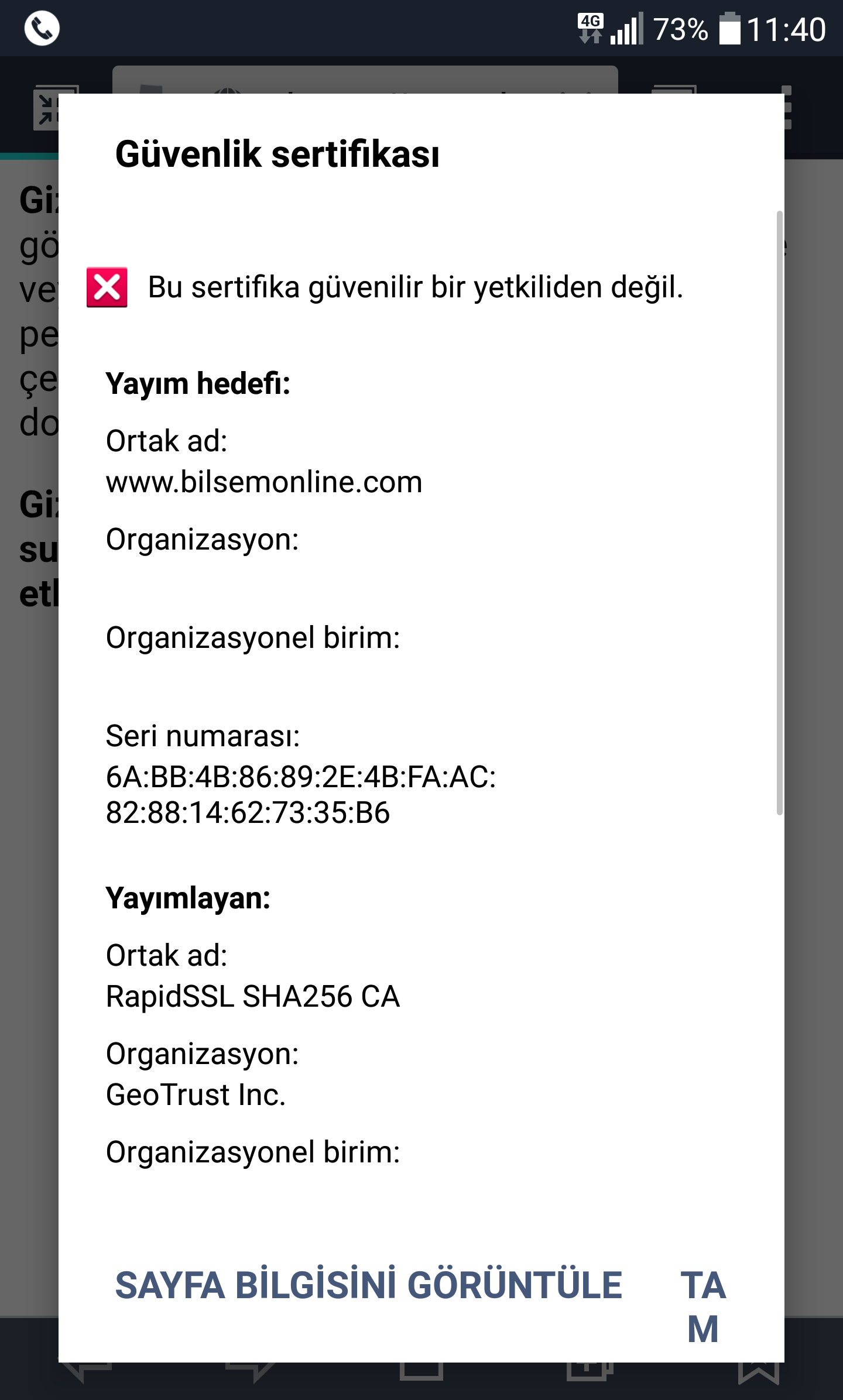
Merhaba
Linux sunucudaki şu sitemde SSL sorunu yaşıyorum. (Tıklayın) Yalnızca mobilde (görebildiğim kadarıyla sadece Android'de) Chrome ve varsayılan android tarayıcıda uyarı alıyorum
err_cert_authority_invalid
Daha önce konuşulmuş ama çözüm sunulmamış. Yabancı forumlarda da bulamadım.
Yukardaki hata "bağlantınız gizli değil" başlığıyla verilmiş.
Önce positive ssl'dendir diye düşündüm ve onu kaldırıp rapid ssl ekledim.
Web server apache 2. SSL konfigürasyonunda da bunu seçtim.
Signature algorithm ise SHA-2 olarak seçili. Acaba bu imza algoritmasından mı oluyor.
Edit:
Şimdi SSL'i aldığım yer canlı destekten bana bir bundle gönderdi ve kayboldu. Şu 4 dosyadan oluşuyor
CACertificate-INTERMEDIATE-1.cer
CACertificate-ROOT-2.cer
PKCS7.p7b
ServerCertificate.cer
Bunu nasıl yüklüyoruz. Normal SSL işlemi gibi denedim ama olmadı. Kombinasyonunu yaptım
Ne yapabilirim?
SSL Sorunu (Bağlantınız Gizli Değil)
3
●2.311
- 05-10-2017, 11:34:10@SonKelime; android varsayılan tarayıcıdan bakmayı deneyin. Gece mobil chrome'dan denediğimde bile hata veriyodu. Şimdi yok. Ama aralıklarla default tarayıcıda halen veriyor

16:01 Cale W: Hey, thanks for reaching out. How are you?
16:02 Fuat Kayaci: thank you sir
16:03 Fuat Kayaci: All my desktop browsers open this fine. mobile Firefox opens this fine. only when I tried with mobile chrome did I get the error: err_cert_authority_invalid
16:03 Fuat Kayaci: bilsemonline.com
16:03 Fuat Kayaci: can you help me?
16:04 Cale W: Sure, let me take a look Fuat
16:06 Cale W: I am not able to find any errors. The SSL appears to be properly installed. I double checked with my mobile phone, and it works on Chrome for me
16:07 Fuat Kayaci: interesting, I tried it several times on different devices
16:07 Fuat Kayaci: can i send screen shot?
16:07 Cale W: I have noticed on some devices that it will show an SSL problem if the date settings in the phone are incorrect
16:08 Cale W: Sure, you can send screenshot here
16:08 Fuat Kayaci: I checked date
16:08 Cale W: Ah, I believe I may have found the problem
16:08 Cale W: There appears to be an issue with the intermediate (chain) certificates
16:08 Cale W: https://whatsmychaincert.com/?bilsemonline.com
16:09 Cale W: Here is the updated file:
16:09 Cale W: Can you please upload that certificate to your site to see if that fixes the issue?
16:09 Fuat Kayaci: Ok i look
16:13 Fuat Kayaci: Unable to set certificate: Incompatible private key / certificate pair.
16:16 Cale W: Can you try to install the certificates again from your bundle? You will need Server, Intermediate, and Root certificates
16:17 Fuat Kayaci: I am trying
16:18 Cale W: What type of server/control panel are you using?
16:18 Fuat Kayaci: plesk
16:19 Cale W: Which version of Plesk?
16:21 Fuat Kayaci: plesk 12
16:22 Cale W: Okay. I have found this guide which explains how to install the chain/ca-bundle: https://helpdesk.ssls.com/hc/en-us/a...te-on-Plesk-12 - 05-10-2017, 14:58:03CloudFlareye geç.
https://www.zulfumehmet.com/cloudfla...s-yonlendirme/