• 24-03-2021, 14:15:04
    #1
    Daha önce CPANEL + LİteSpeed dahil 5000 TL yıllık gider oluyordu.
    Şuan Plesk Panel ve Bedava Nginx kullanarak 5000 TL gider 0 TL oldu.

    nano /etc/nginx/nginx.conf


    Bunu yazın ve kayıt edin.
    error_log  /var/log/nginx/error.log;
    
    #pid        /var/run/nginx.pid;
    
    worker_processes auto;   // CPU Core Count   ( auto | 1 . . .  )
    worker_rlimit_nofile 500000;
    
    
    include /etc/nginx/modules.conf.d/*.conf;
    
    events {
        worker_connections  200000;
    }
    
    http {
        include       mime.types;
        default_type  application/octet-stream;
    
        proxy_connect_timeout 600;
        proxy_send_timeout 600;
        proxy_read_timeout 600;
        send_timeout 600;
        fastcgi_buffers 8 16k;
        fastcgi_buffer_size 32k;
        fastcgi_connect_timeout 300;
        fastcgi_send_timeout 300;
        fastcgi_read_timeout 300;
    
    
        reset_timedout_connection on;
        client_body_timeout 12;
        keepalive_timeout 65;
        keepalive_requests 100000;
        server_tokens off;
        client_header_timeout 300;
    
        gzip on;
        gzip_disable "msie6";
        gzip_vary on;
        gzip_proxied any;
        gzip_comp_level 6;
        gzip_buffers 32 16k;
        gzip_http_version 1.1;
        gzip_min_length 1024;
        gzip_types image/jpeg image/bmp image/svg+xml text/plain text/css text/js application/json application/rss+xml application/javascript application/x-javascript text/xml application/xml application/xml+rss text/javascript image/x-icon;
    
    
        brotli_comp_level 6;
        brotli_buffers 32 8k;
        brotli_min_length 1024;
        gzip_static Off;
        ignore_invalid_headers on;
        brotli_static on;
        brotli_types image/jpeg image/bmp image/svg+xml text/js application/rss+xml image/x-icon;
    
    
        include uwsgi_params;
       uwsgi_read_timeout 1800;
       uwsgi_send_timeout 300;
    
        sendfile        on;
        include /etc/nginx/conf.d/*.conf;
    }
    
    include /etc/nginx/*global_params;
    Nginx yapılandırmanızda herhangi bir sorun olmadığını doğrulamak için çalıştırabilirsiniz:
    sudo nginx -t
    Nginx yapılandırma dosyalarınızda herhangi bir değişiklik yaparken Nginx'i yeniden yüklemeyi unutmayın:
    sudo service nginx reload
  • 24-03-2021, 14:19:22
    #2
    Nginx her sunucuda ram ve cpu ya göre farklı yapılandırılması gerekir plesk zaten en iyi ayarlarla gelir (kendi sitesinden kurulumu yaparsanız) sizin ayarlamanız gereken tek şey önbellek ayarlarıdır isterseniz varnish gibi ek modüller kurabilirsiniz önemli olan my.cnf yani veritabanı optimizasyonu Google den her ram için ayrı hazır ayarlara bakabilirsiniz
  • 24-03-2021, 14:21:30
    #3
  • 24-03-2021, 14:32:01
    #4
    XPloiter adlı üyeden alıntı: mesajı görüntüle
    Daha önce CPANEL + LİteSpeed dahil 5000 TL yıllık gider oluyordu.
    Şuan Plesk Panel ve Bedava Nginx kullanarak 5000 TL gider 0 TL oldu.

    nano /etc/nginx/nginx.conf


    Bunu yazın ve kayıt edin.
    error_log  /var/log/nginx/error.log;
    
    #pid        /var/run/nginx.pid;
    
    worker_processes auto;   // CPU Core Count   ( auto | 1 . . .  )
    worker_rlimit_nofile 500000;
    
    
    include /etc/nginx/modules.conf.d/*.conf;
    
    events {
        worker_connections  200000;
    }
    
    http {
        include       mime.types;
        default_type  application/octet-stream;
    
        proxy_connect_timeout 600;
        proxy_send_timeout 600;
        proxy_read_timeout 600;
        send_timeout 600;
        fastcgi_buffers 8 16k;
        fastcgi_buffer_size 32k;
        fastcgi_connect_timeout 300;
        fastcgi_send_timeout 300;
        fastcgi_read_timeout 300;
    
    
        reset_timedout_connection on;
        client_body_timeout 12;
        keepalive_timeout 65;
        keepalive_requests 100000;
        server_tokens off;
        client_header_timeout 300;
    
        gzip on;
        gzip_disable "msie6";
        gzip_vary on;
        gzip_proxied any;
        gzip_comp_level 6;
        gzip_buffers 32 16k;
        gzip_http_version 1.1;
        gzip_min_length 1024;
        gzip_types image/jpeg image/bmp image/svg+xml text/plain text/css text/js application/json application/rss+xml application/javascript application/x-javascript text/xml application/xml application/xml+rss text/javascript image/x-icon;
    
    
        brotli_comp_level 6;
        brotli_buffers 32 8k;
        brotli_min_length 1024;
        gzip_static Off;
        ignore_invalid_headers on;
        brotli_static on;
        brotli_types image/jpeg image/bmp image/svg+xml text/js application/rss+xml image/x-icon;
    
    
        include uwsgi_params;
       uwsgi_read_timeout 1800;
       uwsgi_send_timeout 300;
    
        sendfile        on;
        include /etc/nginx/conf.d/*.conf;
    }
    
    include /etc/nginx/*global_params;
    Nginx yapılandırmanızda herhangi bir sorun olmadığını doğrulamak için çalıştırabilirsiniz:
    sudo nginx -t
    Nginx yapılandırma dosyalarınızda herhangi bir değişiklik yaparken Nginx'i yeniden yüklemeyi unutmayın:
    sudo service nginx reload
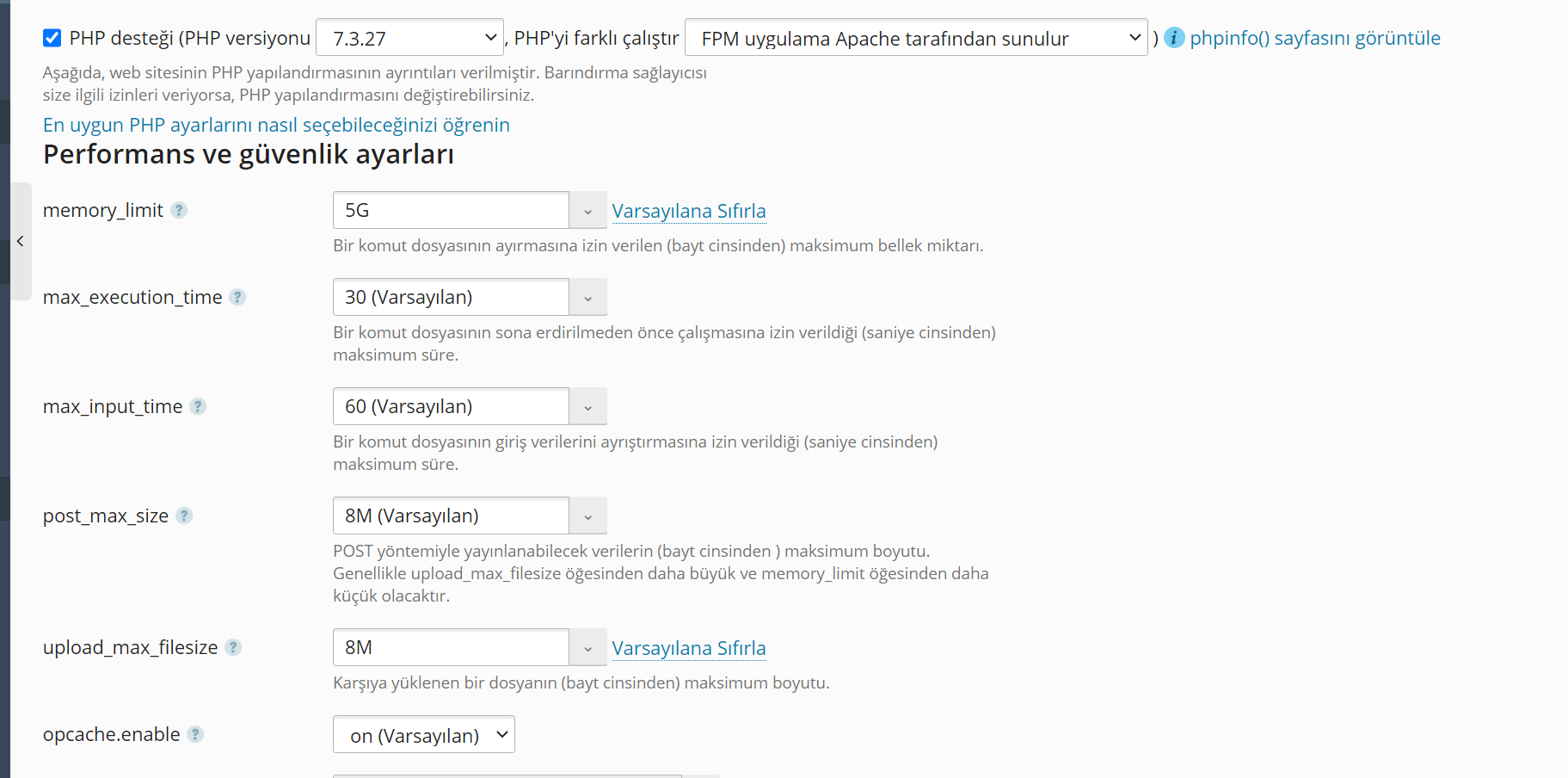
    Merhaba XPloiter,

    Buradaki değerler "artırılmış" değerleri içeriyor. Bu tarz değerler her sunucuya göre değişkenlik gösterecektir. Çünkü içerisinde barınan script / yazılımlar bu değişikliği tetikler. Scriptlerinizin url rewrite kuralları nginx e uyumlu ise zaten litespeed kullanmanız anlamsız olurdu.

    iyi çalışmalar.
  • 24-03-2021, 14:34:00
    #5
    Platin üye
    Merhabalar,

    Bilgilendirmeniz güzel fakat bir kaç noktaya değinmek istedim. Öncelikle ;

    worker_rlimit_nofile 500000;
    worker_connections 200000;

    Bu değerler her sunucuda aynı olamaz. Düşük özellikli bir VDS de bunları girerseniz nginx hata verecektir. Bu yüzden bu 2 değerin test edilerek çalışabilecek en yüksek değerde tutulmasını tavsiye ederim.

    client_body_timeout 12; bu süre biraz daha arttırabilir. 12 saniye sonra site hata yüklenmediyse user sorun yaşayabilir.

    brotli_comp_level için nginx e brotli eklentisinin kurulması gerek https://github.com/google/ngx_brotli adresinden çekerek nginx içerisine entegre edilebilir.

    include /etc/nginx/*global_params;
    include /etc/nginx/conf.d/*.conf; bu 2 satır sizin sunucunuzdaki nginx yolları içindir. Farklı nginx lerde bu yol farklı olabilir ve kullanıcı sorun yaşayabilir.

    Ek olarak eklemenizde tavsiye ettiklerim ;

    events {
    use epoll;
    multi_accept on;
    }

    http {
    variables_hash_max_size 262144;
    variables_hash_bucket_size 262144; # sunucuya göre bu değeri ayarlayın hata verebilir

    ## Proxy ayarlarınız için
    reset_timedout_connection on;
    proxy_buffering on;
    proxy_buffers 256 16k;
    proxy_buffer_size 32k;
    proxy_connect_timeout 60;
    proxy_send_timeout 60;
    proxy_read_timeout 60;
    proxy_cache_valid 200 302 5m;
    proxy_cache_valid 301 5m;
    proxy_cache_valid 404 5m;
    proxy_http_version 1.1;
    client_header_buffer_size 64k;
    proxy_cache_path /usr/local/nginx/conf/cache levels=1:2 keys_zone=cache:20m inactive=60m max_size=1g; ## cache yolunu belirtin ve klasörü açıp yetkileri ayarlayın.
    proxy_cache_key $scheme$host$request_uri;
    proxy_cache_lock on;
    proxy_cache_revalidate on;
    proxy_cache_min_uses 1;
    proxy_cache_use_stale error timeout updating http_500 http_502 http_503 http_504;

    ## hash cache için önemli http://nginx.org/en/docs/http/ngx_ht...sh_bucket_size detaylara bakabilirsiniz
    server_names_hash_bucket_size 512;
    server_names_hash_max_size 512;
    types_hash_max_size 2048;

    ##brotli veya gzip ile daha çok sıkıştırma öneririm
    brotli_types text/plain text/javascript text/css text/richtext text/x-script text/x-component text/x-java-source text/x-markdown text/xml text/js image/x-win-bitmap image/x-icon image/vnd.microsoft.icon image/svg+xml font/truetype font/otf font/opentype font/ttf font/x-woff font/eot application/truetype application/otf application/x-otf application/opentype application/x-opentype application/x-font-ttf application/rss+xml application/atom+xml application/javascript application/x-javascript application/x-perl application/x-httpd-cgi application/xml application/xml+rss application/vnd.api+json application/x-protobuf application/json application/xhtml+xml application/vnd.ms-fontobject application/ttf application/x-ttf application/font-woff application/eot application/font application/font-sfnt application/wasm application/javascript-binast application/manifest+json application/ld+json multipart/bag multipart/mixed;
    }

    vb. bir çok ayar mevcut http://nginx.org/en/docs/http/ngx_http_core_module.html alanından ihtiyacınız olanı bulup değerleri arttırmanızı öneririm.


    Ayrıca eğer ciddi bir proje veya site var ise tavsiyem sadece saf nginx kullanmayın. https://github.com/openresty/lua-nginx-module openresty + lua ile çok daha iyi performans alabilirsiniz. Nginx i yoracak bazı şeyleri lua dilinde çalıştırıp build edebilirsiniz.

    location /lua_content {
    # MIME type determined by default_type:
    default_type 'text/plain';

    content_by_lua_block {
    ngx.say('Hello,world!')
    }
    }

    yukarıdaki örnekteki gibi mesela lua üzerinden kendi sitenizi veya sayfanızı oluşturabilirsiniz. Nginx üzerine php kurmadan sadece nginx + lua ile her istediğinizi yapmanız mümkün.

    Örneğin biz bir büyük projede. Apache yerine nginx, php yerine lua, mysql yerine redis kullanıyoruz. Bunları kullanırsanız sanırım ulaşabileceğiniz en iyi performansa ulaşırsınız. https://github.com/openresty/lua-resty-redis redis sql ram üzerinde tutulur ve aşırı hızlıdır.
  • 24-03-2021, 16:03:59
    #6
    nano /etc/my.cnf.d
    #
    # This group is read both both by the client and the server
    # use it for options that affect everything
    #
    [client-server]
    
    #
    # include all files from the config directory
    #
    !includedir /etc/my.cnf.d
    
    [mysqld]
    sql_mode=ERROR_FOR_DIVISION_BY_ZERO,NO_AUTO_CREATE_USER,NO_ENGINE_SUBSTITUTION
    bind-address = ::ffff:127.0.0.1
    local-infile=0
    
    innodb_buffer_pool_size = 35G
    max_allowed_packet = 256M
    open_files_limit = 40000
    innodb_file_per_table = 1
    max_connections = 2750
    max_connect_errors = 350
    
    
    max_heap_table_size=1G
    tmp_table_size=1G
    innodb_io_capacity=10000
    read_buffer_size=4M
    read_rnd_buffer_size=32M
    aria_pagecache_division_limit=50
    key_cache_division_limit=50
    innodb_buffer_pool_instances=8
    innodb_buffer_pool_size=25G
    innodb_lru_scan_depth=100
    innodb_thread_concurrency=12
  • 25-03-2021, 01:55:21
    #7
    #user  nginx;
    worker_processes auto;
    worker_rlimit_nofile 500000;
    
    error_log  /var/log/nginx/error.log;
    #error_log  /var/log/nginx/error.log  notice;
    #error_log  /var/log/nginx/error.log  info;
    
    #pid        /var/run/nginx.pid;
    
    include /etc/nginx/modules.conf.d/*.conf;
    
    events {
    use epoll;
    multi_accept on;
    worker_connections  500000;
    }
    
    
    http {
    include       mime.types;
    #default_type  application/octet-stream;
        
        
                # Yeni Eklenen Değerler
    variables_hash_max_size 26214;
    variables_hash_bucket_size 26214;
           
    send_timeout 600;
    fastcgi_buffers 8 16k;
    fastcgi_buffer_size 32k;
    fastcgi_connect_timeout 300;
    fastcgi_send_timeout 300;
    fastcgi_read_timeout 300;
    reset_timedout_connection on;
    client_body_timeout 12;
    keepalive_requests 100000;
    client_header_timeout 300;
            
    gzip on;
    gzip_disable "msie6";
    gzip_vary on;
    gzip_proxied any;
    gzip_comp_level 6;
    gzip_buffers 32 16k;
    gzip_http_version 1.1;
    gzip_min_length 1024;
    gzip_types image/jpeg image/bmp image/svg+xml text/plain text/css text/js application/json application/rss+xml application/javascript application/x-javascript text/xml application/xml application/xml+rss text/javascript image/x-icon;
            
    brotli_comp_level 6;
    brotli_buffers 32 8k;
    brotli_min_length 1024;
    gzip_static Off;
    ignore_invalid_headers on;
    brotli_static on;
    brotli_types text/richtext text/x-script text/x-component text/x-java-source text/x-markdown text/js image/x-win-bitmap image/x-icon image/vnd.microsoft.icon image/svg+xml font/truetype font/otf font/opentype font/ttf font/x-woff font/eot application/truetype application/otf application/x-otf application/opentype application/x-opentype application/x-font-ttf application/rss+xml application/atom+xml application/x-perl application/x-httpd-cgi application/vnd.api+json application/x-protobuf application/xhtml+xml application/vnd.ms-fontobject application/ttf application/x-ttf application/font-woff application/eot application/font application/font-sfnt application/wasm application/javascript-binast application/manifest+json application/ld+json multipart/bag multipart/mixed image/jpeg image/bmp;
            
    include uwsgi_params;
                        
    uwsgi_read_timeout 1800;
    uwsgi_send_timeout 300;      
    client_header_buffer_size 64k;
            
    #proxy_connect_timeout 600;
                #proxy_send_timeout 600;
                #proxy_read_timeout 600;
               #proxy_buffering on;
               #proxy_buffers 256 16k;
               #proxy_buffer_size 32k;
               #proxy_cache_valid 200 302 5m;
               #proxy_cache_valid 301 5m;
               #proxy_cache_valid 404 5m;
               #proxy_http_version 1.1;      
               #proxy_cache_path /usr/local/nginx/conf/cache levels=1:2 keys_zone=cache:20m inactive=60m max_size=1g; 
               #proxy_cache_key $scheme$host$request_uri;
               #proxy_cache_lock on;
               #proxy_cache_revalidate on;
               #proxy_cache_min_uses 1;
               #proxy_cache_use_stale error timeout updating http_500 http_502 http_503 http_504;
            
    server_names_hash_bucket_size 512;
    server_names_hash_max_size 512;
    types_hash_max_size 2048;


    sendfile        on;
    keepalive_timeout  65;
    server_tokens off;
    
    include /etc/nginx/conf.d/*.conf;
    }
    
    # override global parameters e.g. worker_rlimit_nofile
    include /etc/nginx/*global_params;