
Gece 12 den sonra bugün olarak değişir
öğlen 13 sıfırlama zamanı olarak ayarlanmıştır
kendinize göre düzenleyebilirsiniz.
Journal için ekleme
journal için tema ayarları>ürün içerikleri>extra modüller içinde sağ üste yeni oluştur adımını takip ederek açılan ekranda oluşturucu kısmından bloklar alanına içerik tipini html editör seçerek ekleyebilirsiniz.
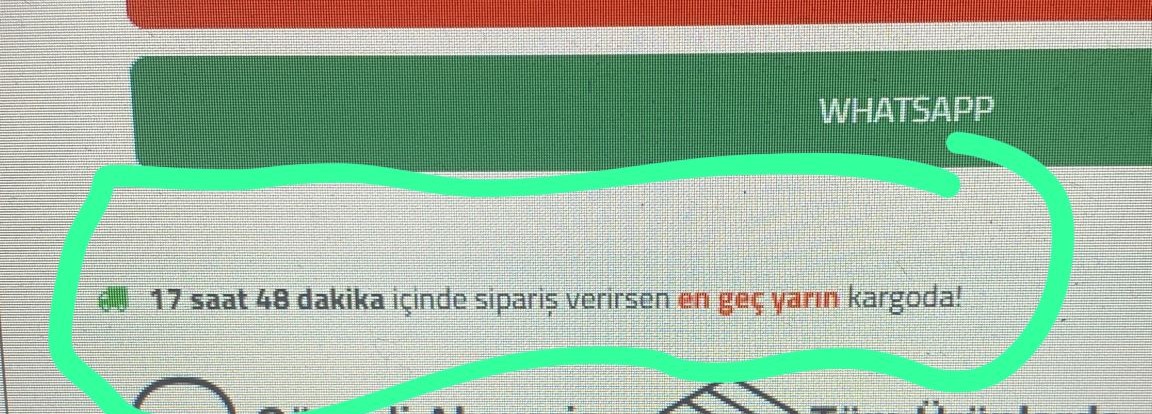
    <style>
        .product-delivery-badge {
            background-color: #effbf5;
            padding: 8px;
            border-radius: 8px;
            text-align: start;
            justify-content: center;
            display: flex;
            flex-direction: column;
            align-items: flex-start;
        }

        .pr-dd-rs-w {
            display: flex;
            align-items: center;
            justify-content: center;
            color: #333;
            font-size: 12px;
        }

        .pr-dd-rs-w .same-day-shipping {
            justify-content: start;
            gap: 8px;
            display: flex;
            align-items: center;
        }
    </style>
<div class="product-delivery-badge">
    <div class="pr-dd-rs-w">
        <div class="same-day-shipping">
            <div style="color: rgb(11, 193, 92);" class="fa fa-truck"></div>
            <div><strong id="countdown"></strong> içinde sipariş verirsen <strong id="label"></strong> kargoda!</div>
        </div>
    </div>
</div>
    <script>
        function updateCountdown() {
            const now = new Date();
            let resetTime = new Date();
            resetTime.setHours(13, 0, 0, 0);

            let nextReset = new Date(resetTime);
            if (now >= resetTime) {
                nextReset.setDate(nextReset.getDate() + 1);
            }

            const timeLeft = nextReset - now;

            const hours = Math.floor((timeLeft / (1000 * 60 * 60)) % 24);
            const minutes = Math.floor((timeLeft / (1000 * 60)) % 60);

            document.getElementById('countdown').innerText = `${hours} saat ${minutes} dakika`;

            let label = document.getElementById('label');
            if (now.getHours() < 13) {
                label.innerText = "bugün";
                label.style.color = "green";
            } else {
                label.innerText = "en geç yarın";
                label.style.color = "red";
            }

            setTimeout(updateCountdown, 1000);
        }

        updateCountdown();
    </script>