İstediğiniz PHP sistemlerinize entegre edebiliriz.
<!DOCTYPE html>
<html>
<meta charset="UTF-8">
<meta name="viewport" content="width=device-width, initial-scale=1.0">
<head>
<title>Random Boxes</title>
<style>
.box {
width: calc(100% / 5 - 2px);
border: 1px solid black;
display: inline-block;
text-align: center;
vertical-align: top;
position: relative;
}
.highlight {
border-top: 2px solid red;
transform: scale(1.01);
z-index: 999;
box-shadow: 0px 0px 20px 6px #46ded3;
}
#line{
position: absolute;
left: 48%;
top: 0;
z-index: 9999;
border-color: #006bff transparent transparent transparent;
border-style: solid;
border-width: 50px 25px 0px 25px;
width: 0px;
height: 0px;
filter: drop-shadow(2px 4px 6px black);
}
#boxes .box img {
width: 100%;
height: 100%;
}
.ring-1 {
width: 10px;
height: 10px;
margin: 0 auto;
padding: 10px;
border: 7px dashed #4b9cdb;
border-radius: 100%;
}
#loadingIcon .ring-1 {
animation: loadingD 1.5s 0.3s cubic-bezier(0.17, 0.37, 0.43, 0.67) infinite;
}
@keyframes loadingD {
0 {
transform: rotate(0deg);
}
50% {
transform: rotate(180deg);
}
100% {
transform: rotate(360deg);
}
}
button#spinButton {
margin: auto;
padding: 13px;
background: #4b9cdb;
border: 2px solid #0c50af;
border-radius: 14px;
color: #fff;
font-size: 19px;
}
.box-buttons {
text-align: center;
padding: 20px;
}
.modal {
display: none;
position: fixed;
z-index: 1;
left: 0;
top: 0;
width: 100%;
height: 100%;
overflow: auto;
background-color: rgba(0,0,0,0.4);
}
.modal-content {
background-color: #fefefe;
margin: 15% auto;
padding: 20px;
border: 1px solid #888;
width: 30%;
}
.close {
color: #aaa;
float: right;
font-size: 28px;
font-weight: bold;
}
.close:hover,
.close:focus {
color: black;
text-decoration: none;
cursor: pointer;
}
</style>
</head>
<body>
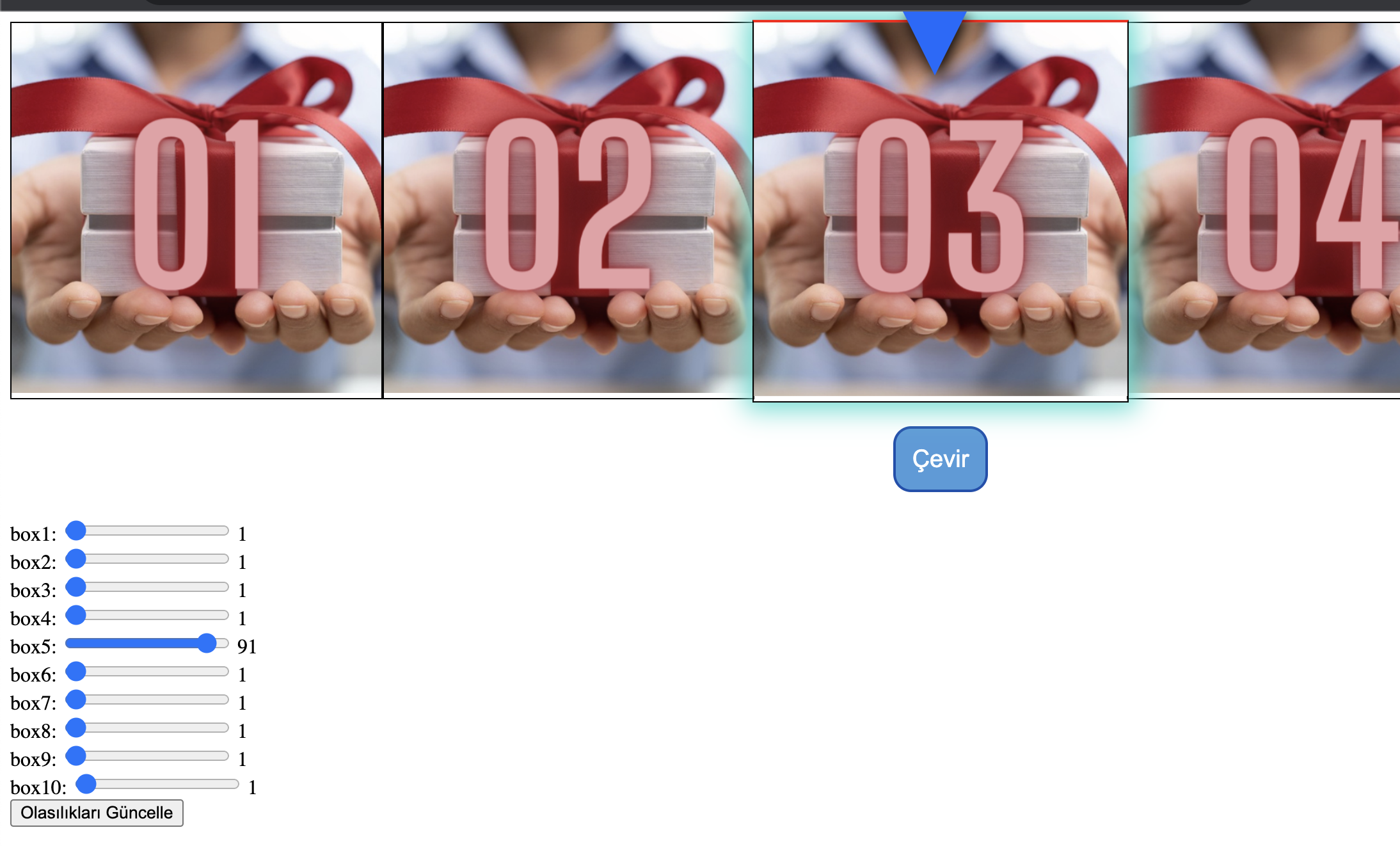
<div id="boxes">
</div>
<div id="line"></div>
<div class="box-buttons">
<button class="spinButton" id="spinButton" onclick="start()">Çevir</button>
<div id="loadingIcon" style="display:none;">
<div class="ring-1"></div>
</div>
</div>
<!-- Modal -->
<div id="myModal" class="modal">
<div class="modal-content">
<span class="close">×</span>
<p id="modalText">Seçilen numara: <span id="modalNumber">
<p><span id="selectedNumber"></span></p>
</span></p>
</div>
</div>
<div id="sliderContainer">
<!-- Olasılık slider'ları burada oluşturulacak -->
</div>
<button onclick="updateProbabilities()">Olasılıkları Güncelle</button>
<script>
const fixedIds = ['box1', 'box2', 'box3', 'box4', 'box5', 'box6', 'box7', 'box8', 'box9', 'box10'];
const probabilities = [
1, //box1
1, //box2
1, //box3
1, //box4
91, //box5
1, //box6
1, //box7
1, //box8
1, //box9
1 //box10
];
const boxDiv = document.getElementById('boxes');
const selectedNumberSpan = document.getElementById('selectedNumber');
let interval;
let currentIndex = 0;
let selectedId;
function pickIdBasedOnProbability() {
let sum = 0;
const r = Math.floor(Math.random() * 100);
for (let i = 0; i < probabilities.length; i++) {
sum += probabilities[i];
if (r < sum) {
return fixedIds[i];
}
}
}
function displayBoxes(ids, highlightId) {
boxDiv.innerHTML = '';
for (let i = 0; i < ids.length; i++) {
const box = document.createElement('div');
box.className = 'box';
box.id = ids[i];
if (i === 2) {
box.classList.add('highlight');
selectedNumberSpan.textContent = ids[i];
}
box.innerHTML = `<img src="assets/img/${ids[i]}.png" alt="${ids[i]}">`;
boxDiv.appendChild(box);
}
}
function start() {
// Butonu gizle, loading ikonunu göster
document.getElementById('spinButton').style.display = 'none';
document.getElementById('loadingIcon').style.display = 'block';
clearInterval(interval);
selectedId = pickIdBasedOnProbability();
currentIndex = fixedIds.indexOf(selectedId) || 0;
interval = setInterval(() => {
const visibleIds = [];
for (let i = 0; i < 5; i++) {
const displayIndex = (currentIndex + i - 1 + fixedIds.length) % fixedIds.length;
visibleIds.push(fixedIds[displayIndex]);
}
displayBoxes(visibleIds, selectedId);
currentIndex = (currentIndex + 1) % fixedIds.length;
}, 100);
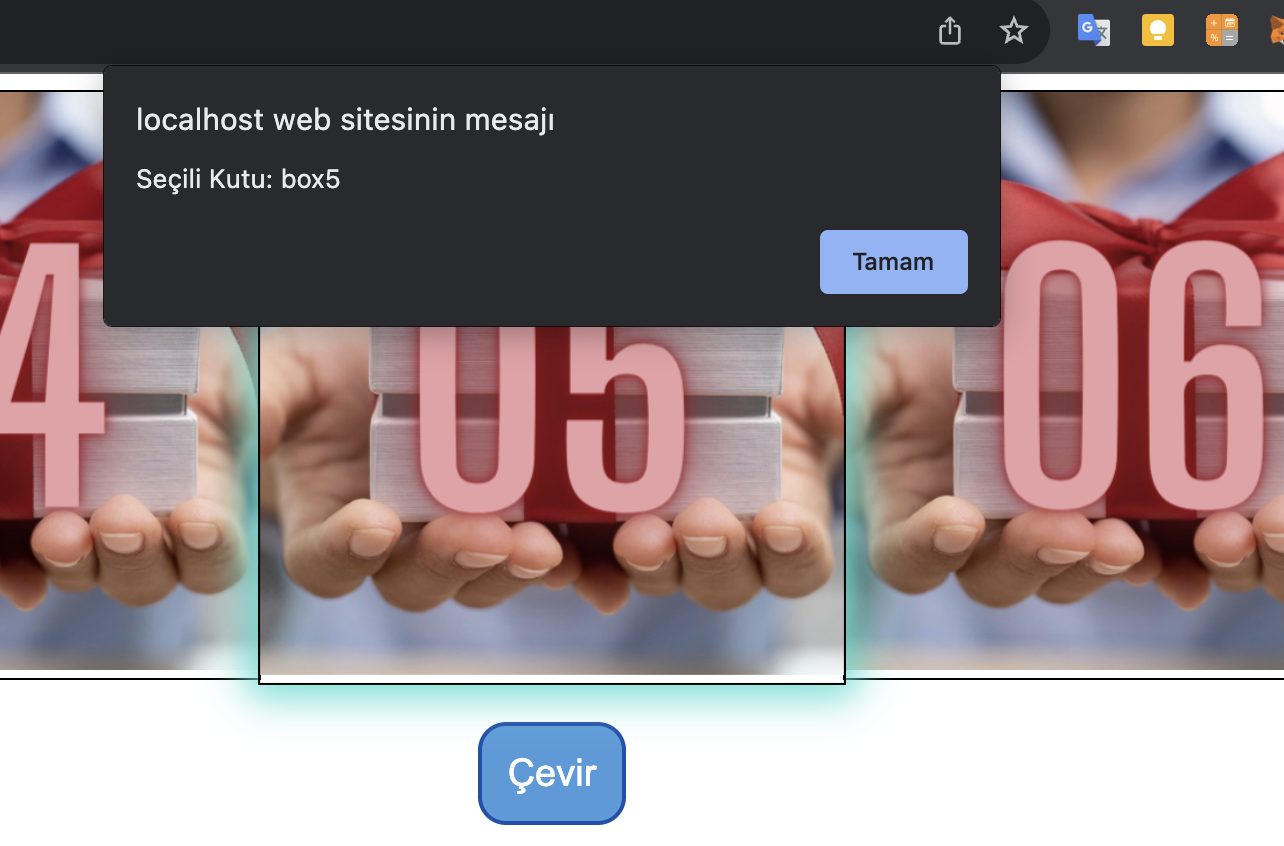
setTimeout(() => {
// İşlem bitti, butonu göster ve loading ikonunu gizle
document.getElementById('spinButton').style.display = 'block';
document.getElementById('loadingIcon').style.display = 'none';
clearInterval(interval);
// Ekstra bir setTimeout ile çarkın tam olarak durmasını bekleyelim.
setTimeout(() => {
// Popup olarak seçili numarayı göster
window.alert("Seçili Kutu: " + selectedNumberSpan.textContent);
}, 100); // 100 milisaniye bekleyelim, bu süre sizin uygulamanıza göre ayarlanabilir.
}, 3000);
}
displayBoxes(fixedIds.slice(0, 5));
document.addEventListener("DOMContentLoaded", function() {
// Input alanlarını oluştur
const inputFields = document.getElementById('inputFields');
fixedIds.forEach(id => {
inputFields.innerHTML += `<label for="${id}">${id}</label><input type="number" id="${id}" name="${id}" min="0" max="100"><br>`;
});
displayBoxes(fixedIds.slice(0, 5));
});
document.addEventListener("DOMContentLoaded", function() {
// Slider'ları oluştur
const sliderContainer = document.getElementById('sliderContainer');
fixedIds.forEach(id => {
sliderContainer.innerHTML += `
<label for="slider-${id}">${id}: </label>
<input type="range" id="slider-${id}" name="${id}" min="0" max="100" value="0">
<span id="slider-value-${id}">0</span><br>
`;
});
// Başlangıç olasılık değerlerini yükle
fixedIds.forEach((id, index) => {
const slider = document.getElementById(`slider-${id}`);
const span = document.getElementById(`slider-value-${id}`);
slider.value = probabilities[index];
span.innerText = probabilities[index];
slider.addEventListener('input', function() {
span.innerText = slider.value;
});
});
});
function updateProbabilities() {
// Slider değerlerini al ve olasılıkları güncelle
fixedIds.forEach((id, index) => {
const value = document.getElementById(`slider-${id}`).value;
if(value !== "") {
probabilities[index] = parseInt(value, 10);
}
});
alert("Olasılıklar güncellendi.");
}
</script>
</body>
</html>