Dear xxx,
we would like to inform you that the transfer (or change of registrar) on Register.it for the xxx.com domain HAS NOT BEEN SUCCESFULLY COMPLETED. We invite you to carefully follow our instructions before restarting the change of registrar procedure.
WHY DID THE TRANSFER FAIL?
There are 5 main possible reasons why your transfer failed. Please read them all before contacting us:
1) DOMAIN IN REGISTRAR-LOCK STATUS.
With the introduction of the new transfer policies, some registrars have decided to set their registrar on REGISTRAR-LOCK or TRANSFER PROHIBITED status. This status forbids transfer to other registrars and it is necessary to request the current registrar to set the domain on ACTIVE status before performing the transfer.
To check the status of your domain and the registrar it is being maintained by, please check the Whois at this address:
http://www.internic.net/whois.html
If your domain is in Status: REGISTRAR-LOCK or TRANSFER PROHIBITED, we suggest you contact the current registrar or maintainer of the domain and request this be put in ACTIVE status before restarting the process.
2) NON MATCHING DATA.
If during the online transfer process at Register.it you entered data that does not match the one found in the Whois, the transfer request will be automatically rejected by the competent Authority. In your control panel you will find the Whois web address where you can check whether the data is matching or not.
Please remember that this data cannot be changed while being transferred. Before restarting the procedure, access your control panel and check it. Please double check:
- Registrant: the domain assignee data. Please make sure the following data CORRECTLY appears in the 'Domain Owner assignee data' form of your control panel.
- Administrative Contact: Admin-c.
Please make sure the following data CORRECTLY appears in the "Owners data", and please double check the EMAIL ADDRESS.
3) FAILED, LATE OR WRONG TRANSFER AUTHORISATION.
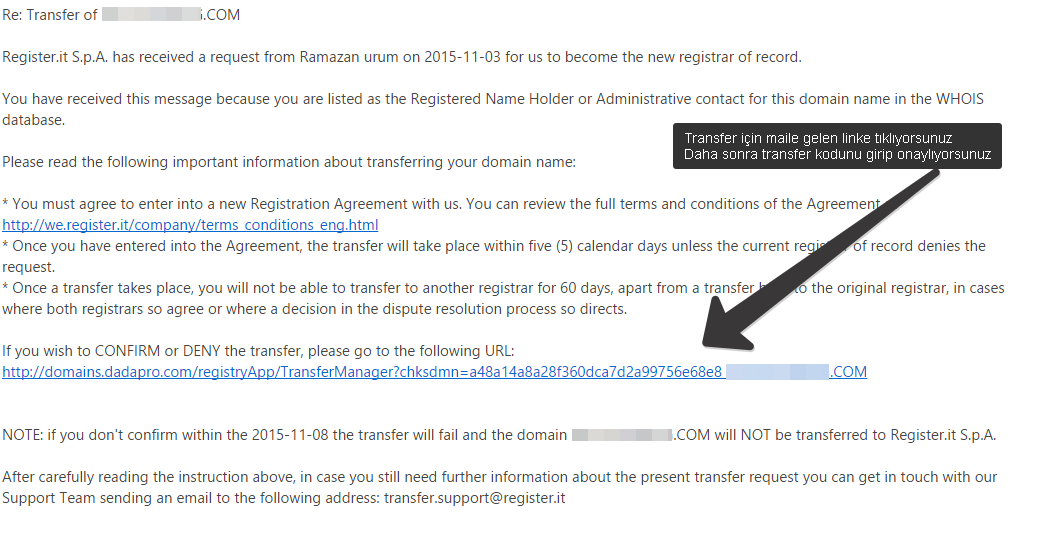
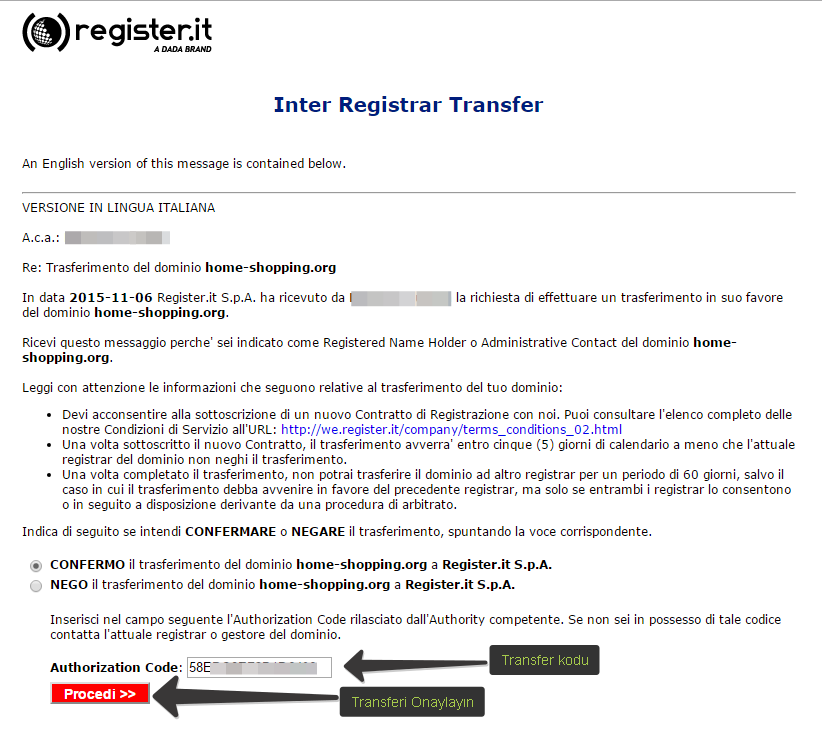
When you request a transfer, Register.it will send an email to the owner of the domain, who will ask for transfer permission. If the owner does not give his consent within the time set in that email, the transfer will not be approved.
Make sure the owner email address found in the Whois is active and properly working. Moreover, once the transfer has been completed, make sure that the Admin c reads the message it will receive from Reister.it carefully and follows the instructions given.
Sometimes the current Registrar sends a further email to the owner email address In this case, silent consent is the rule. To fasten the transfer, we suggest you read that email and follow the instructions given by the current registrar.
4) DOMAIN EXPIRED, REGISTERED OR TRANSFERRED FOR LESS THAN 60 DAYS
We would like to remind you that, according to the new policies, the domain cannot be transferred if it has been registered for less than 60 days or if the last change of registrar occurred less than 60 days before. In this case, you will have to wait 60 days before restarting the process.
If the domain you need to transfer has expired or is about to, the current registrar can deny authorisation to the transfer.
In this case, before restarting the process, you will have to renew the domain at the current registrar.
In your control panel you will find the whois web address where to check the Registration or Expiry date of the domain. Otherwise, you can check if the domain is on REDEMPTION PERIOD at
http://www.internic.net/whois.html. Recovery from REDEMPTION can be performed only at the current registrar.
5) FAILED CONSENT FROM CURRENT REGISTRAR
It sometimes happens that the current registrar denies consent to the transfer procedure.
If you have already checked the previous 4 points and you are sure that the reason for the denial is not any of them, please contact the current Registrar and request transfer authorisation.
HOW TO RESTART THE PROCEDURE
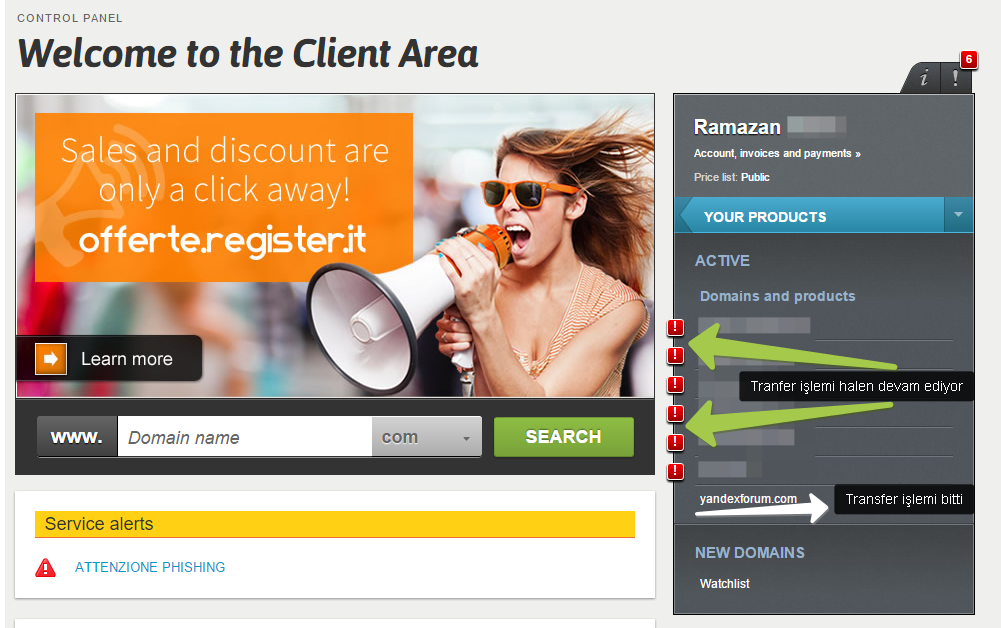
Access your control panel and click the domain name for which you requested transfer. You will access a page containing all the data. Follow these easy steps:
1) Check the Whois data by clicking the specific link.
2) If the assignee firm or the owner email address do not match the data found in the whois, please contact the technical support from the "Request Assistance area and request data update before restarting the procedure.
3) If the data is correct, click the "Restart the procedure button that you will find at the end of the page. The transfer procedure (or change of registrar) will be automatically restarted.
Attention: if you dont respect these rules the transfer will not be completed and you will have to restart the procedure all over again.
For further information or assistance, access the 'Request Assistance' section of your control panel.
Kind regards,
Customer Service
Register.it SpA
Dada group
http://www.register.it
---
This email is generated automatically without the option to read any replies.