android studio java destek
2
●96
- 18-10-2022, 20:16:07
 arkadaşlar merhaba butona basınca saniyede 1 randomsayı üretmem lazım bir çok yöntem denedim ama maalesef sonuca ulaşamadım yardımınıza ihtiyacım var yol gösterirseniz sevinirim
 - 19-10-2022, 10:48:17Aslında java ile basitçe sayı üretebilirsin
Android Studio
Gerekli Kütüphanaler
implementation 'androidx.appcompat:appcompat:1.5.1'
implementation 'com.google.android.material:material:1.6.1'
implementation 'androidx.constraintlayout:constraintlayout:2.1.4'
testImplementation 'junit:junit:4.13.2'
androidTestImplementation 'androidx.test.ext:junit:1.1.3'
androidTestImplementation 'androidx.test.espresso:espresso-core:3.4.0'
compileSdk 32
minSdk 21
targetSdk 32
MainActivity
public class MainActivity extends AppCompatActivity {

TextView txt;
Button btn;

@Override
protected void onCreate(Bundle savedInstanceState) {
super.onCreate(savedInstanceState);
setContentView(R.layout.activity_main);

//erişim tanımlama
txt = findViewById(R.id.textView);
btn = findViewById(R.id.button);

//butona tıklandığında yapılacak işlem
btn.setOnClickListener(new View.OnClickListener() {
@SuppressLint("SetTextI18n") // uyarı kaldır
@Override
public void onClick(View view) {
Random random = new Random();
int val = random.nextInt(1000); // bir tamsayı değişkeninde rasgele sayı kaydet
txt.setText(Integer.toString(val)); //String'e dönüştürün metin görünümü içinde metin olarak ayarlayın
}
});

}
}
activity_main.xml
<?xml version="1.0" encoding="utf-8"?>
<androidx.constraintlayout.widget.ConstraintLayout xmlns:android="http://schemas.android.com/apk/res/android"
xmlns:app="http://schemas.android.com/apk/res-auto"
xmlns:tools="http://schemas.android.com/tools"
android:layout_width="match_parent"
android:layout_height="match_parent"
tools:context=".MainActivity">

<TextView
android:id="@+id/textView"
android:layout_width="wrap_content"
android:layout_height="wrap_content"
android:textSize="100sp"
android:textColor="@color/colorPrimary"
android:fontFamily="sans-serif-condensed"
app:layout_constraintBottom_toBottomOf="parent"
app:layout_constraintEnd_toEndOf="parent"
app:layout_constraintHorizontal_bias="0.498"
app:layout_constraintStart_toStartOf="parent"
app:layout_constraintTop_toTopOf="parent"
app:layout_constraintVertical_bias="0.358" />

<Button
android:id="@+id/button"
android:layout_width="wrap_content"
android:layout_height="wrap_content"
android:text="Üret"
app:layout_constraintBottom_toBottomOf="parent"
app:layout_constraintEnd_toEndOf="parent"
app:layout_constraintHorizontal_bias="0.498"
app:layout_constraintStart_toStartOf="parent"
app:layout_constraintTop_toTopOf="parent"
app:layout_constraintVertical_bias="0.594" />


</androidx.constraintlayout.widget.ConstraintLayout>
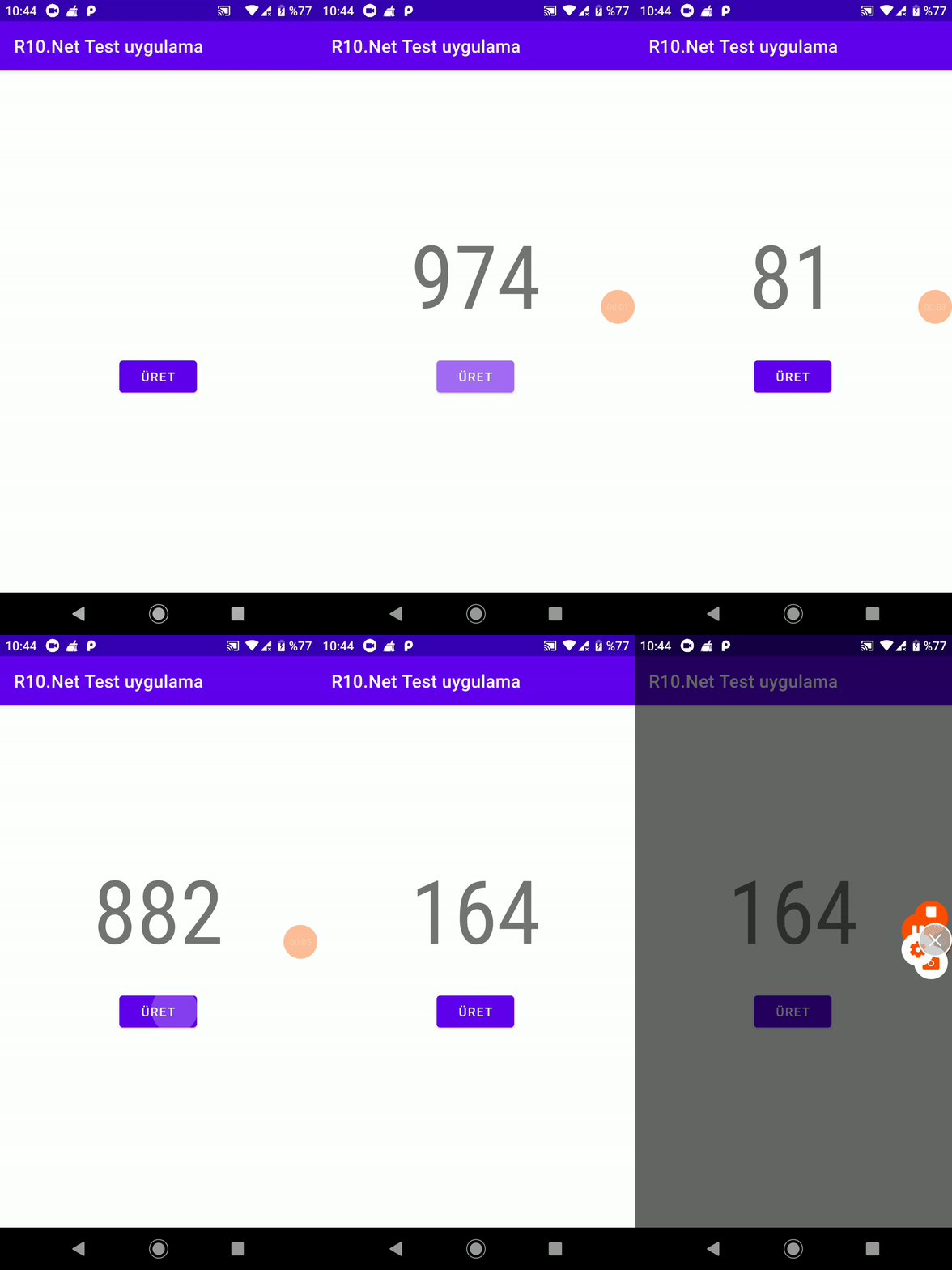
Sonuc
- 19-10-2022, 16:27:57 Teşekkür ederim hocam ama sorunu çözdüm emeklerinize saglıkOmerAti adlı üyeden alıntı: mesajı görüntüle