• 25-08-2021, 18:05:17
    #1
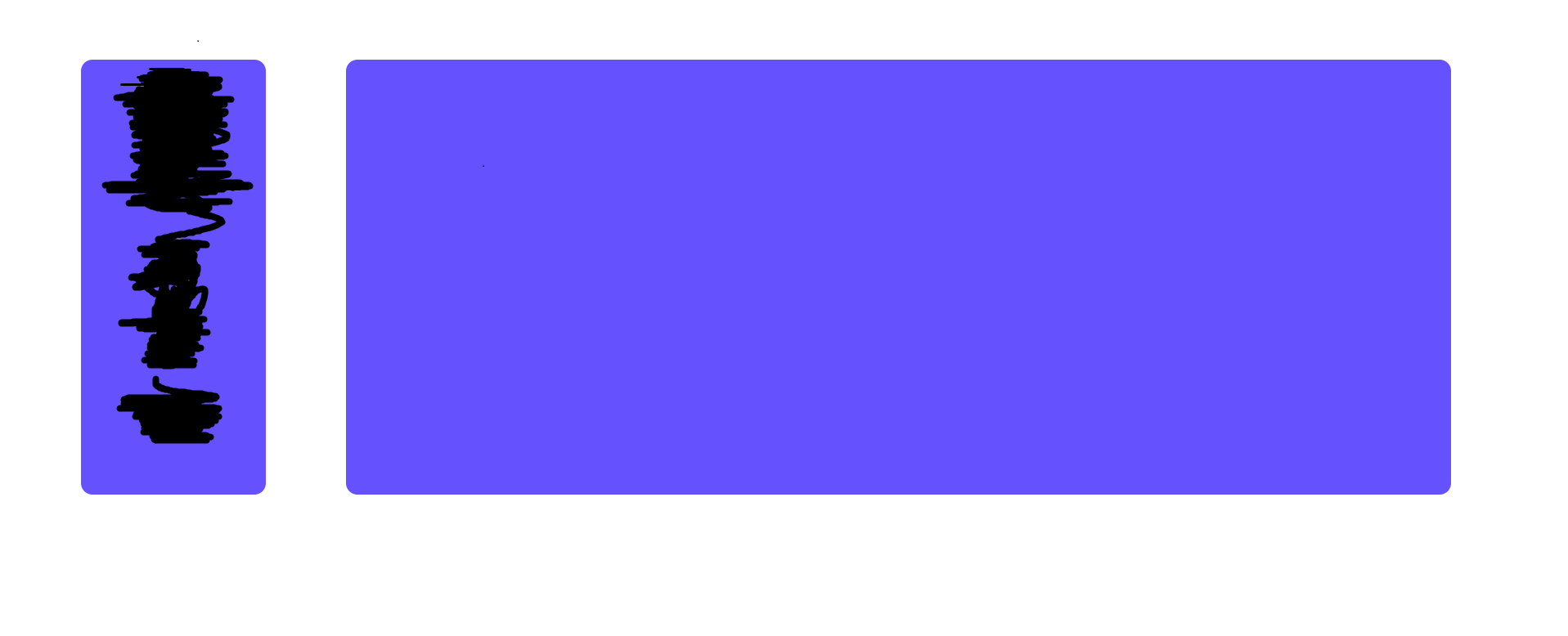
    tam ekranda normal gözüküyor fakat

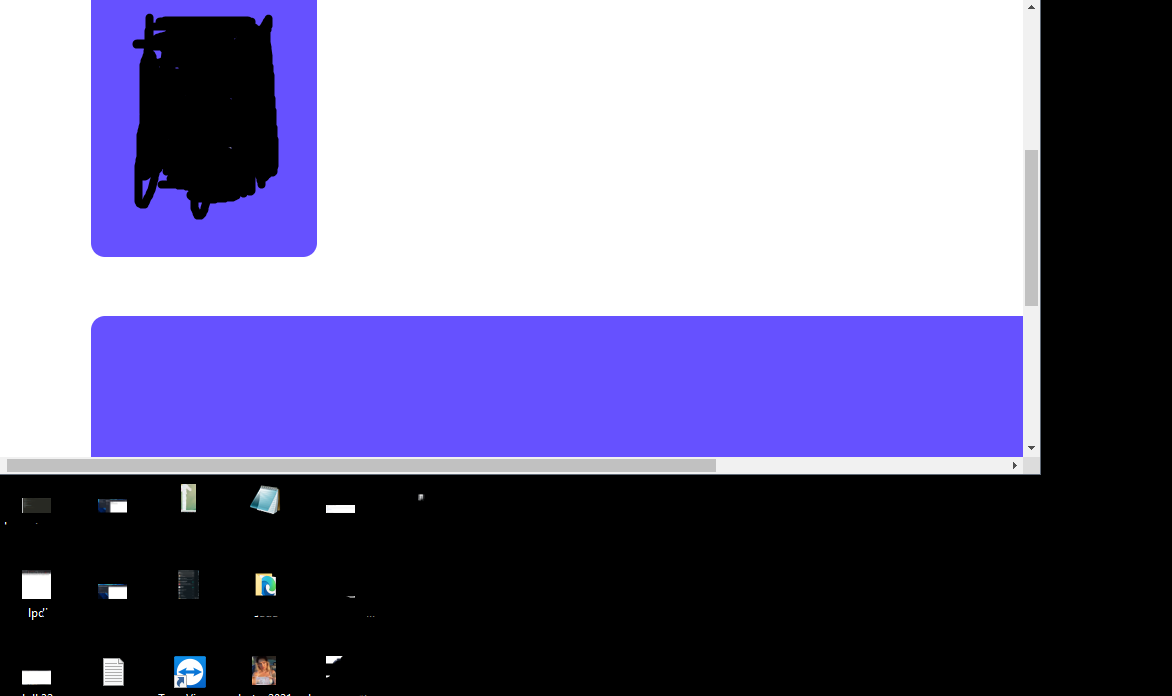
    ekranı küçülttüğümde bu şekilde gözüküyor büyük olan divin ekran boyuna göre uzamasını nasıl sağlarım ?
  • 25-08-2021, 18:06:26
    #2
    Üyeliği durduruldu
    hocam dive display:flex ekleyin.
  • 25-08-2021, 18:08:57
    #3
    angelicmoon adlı üyeden alıntı: mesajı görüntüle
    hocam dive display:flex ekleyin.
    hocam yine aşağı attı divi
  • 25-08-2021, 18:12:34
    #4
    oguzhanss adlı üyeden alıntı: mesajı görüntüle
    hocam yine aşağı attı divi
    Float mı verdiniz flex mi kulandınız? Width height ne durumda? Kod eklerseniz daha çok yardımcı olabiliriz.
    • oguzhanss
    oguzhanss bunu beğendi.
    1 kişi bunu beğendi.
  • 25-08-2021, 18:21:11
    #5
    Kod paylaşırsanız yardımcı olabiliriz

    eğer kodlarınızda media seçiciler yoksa media seçiciler ile ekranlara göre boyutlarla oynamanız daha sağlıklı olur
  • 25-08-2021, 18:24:23
    #6
      .profile2{
       min-width: 60%;
       width: auto;
       float: left;
      margin-top: 5%;
      background-color: #6651FF;
      margin-left: 5px;
      min-height: 590px;
      height: auto;
      border: 5px solid white;
      border-radius: 20px;
      margin-left: 100px;
      }
    @media only screen and (max-width: 768px) {
      [class*="profile2"] {
         margin-top: 15px;
         
         width: 100%;
    
         margin-left: 1px;
         margin-right: 1px;
    
      }
  • 25-08-2021, 18:26:13
    #7
    oguzhanss adlı üyeden alıntı: mesajı görüntüle
      .profile2{
       min-width: 60%;
       width: auto;
       float: left;
      margin-top: 5%;
      background-color: #6651FF;
      margin-left: 5px;
      min-height: 590px;
      height: auto;
      border: 5px solid white;
      border-radius: 20px;
      margin-left: 100px;
      }
    @media only screen and (max-width: 768px) {
      [class*="profile2"] {
         margin-top: 15px;
        
         width: 100%;
    
         margin-left: 1px;
         margin-right: 1px;
    
      }
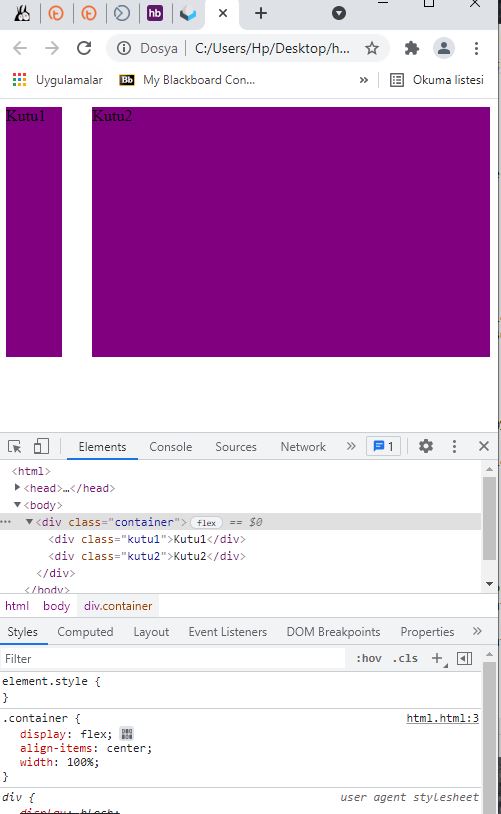
    orada iki ayrı div var sen tek div css sini vermişsin
  • 25-08-2021, 18:27:48
    #8
    Üyeliği durduruldu


    <head>
    <style>
    .container {
    
    display:flex;
    align-items:center;
    width:100%;
    
    }
    
    .kutu1{
    width:60px;
    height:250px;
    background-color:purple;
    margin-right:30px;
    
    }
    
    .kutu2{
    width:calc(100% - 60px);
    height:250px;
    background-color:purple;
    
    
    }
    
    </style>
    <body>
    <div class="container">
    <div class="kutu1">Kutu1</div>
    
    <div class="kutu2">Kutu2</div>
    
    </div>
    </body>
    </head>
  • 25-08-2021, 18:30:52
    #9
    oguzhanss adlı üyeden alıntı: mesajı görüntüle
      .profile2{
       min-width: 60%;
       width: auto;
       float: left;
      margin-top: 5%;
      background-color: #6651FF;
      margin-left: 5px;
      min-height: 590px;
      height: auto;
      border: 5px solid white;
      border-radius: 20px;
      margin-left: 100px;
      }
    @media only screen and (max-width: 768px) {
      [class*="profile2"] {
         margin-top: 15px;
        
         width: 100%;
    
         margin-left: 1px;
         margin-right: 1px;
    
      }
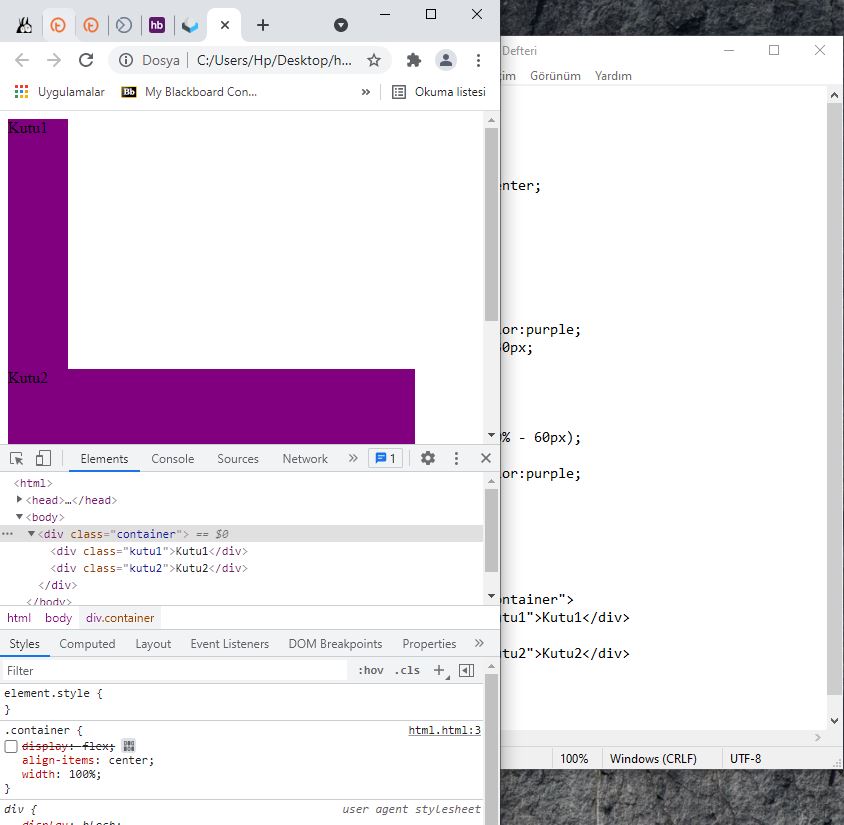
    AspavA adlı üyeden alıntı: mesajı görüntüle
    Kod paylaşırsanız yardımcı olabiliriz

    eğer kodlarınızda media seçiciler yoksa media seçiciler ile ekranlara göre boyutlarla oynamanız daha sağlıklı olur


      .profile2{
       min-width: 60%;
       width: auto;
       float: left;
      margin-top: 5%;
      background-color: #6651FF;
      margin-left: 5px;
      min-height: 590px;
      height: auto;
      border: 5px solid white;
      border-radius: 20px;
      margin-left: 100px;
      }
    @media only screen and (max-width: 768px) {
      [class*="profile2"] {
         margin-top: 15px;
        
         width: 100%;
    
         margin-left: 1px;
         margin-right: 1px;
    
      }
    .profile{
      float: left;
      
      margin-top: 5%;
      background-color: #6651FF;
      margin-left: 5px;
      width: 250px;
      height: 590px;
      border: 5px solid white;
      border-radius: 20px;
      margin-left: 100px;
    
      }
     @media only screen and (max-width: 768px) {
      [class*="profile"] {
         margin-top: 15px;
         
         width: 100%;
    
         margin-left: 1px;
         margin-right: 1px;
    
      }