Developer desteğe yazın diyor hocalarım?
Thank you for contacting Google Play support about your issue with an app or game developer. We think the information below will help solve the problem, but if you still have trouble, you can reply to this email for more help.
Third-party developers make most apps on the Play Store, not Google. The developers are responsible for app support and making sure apps work well for you.
Developers can help you if:
- An app you downloaded doesn’t work.
- An in-app purchase wasn’t delivered, doesn’t work, or isn’t what you expected.
- You want to learn more about how to use an app or game.
To contact a developer for help:
- Open the Google Play Store app.
- Browse or search for the app.
- Tap the app to open the detail page.
- Tap Developer contact.
- Scroll to find the support website and contact information.
If you already contacted the developer and need further help, here are a few options:
T
Merhaba arkadaşlar, Google Developer hesabınız silindiyse ve tekrar aktif hale getirmek istiyorsanız, aşağıdaki adımları izleyerek benim gibi siz de hesabınızı geri alabilirsiniz. 🛠️ 🟢 1. Google One Paketi Satın Alın
İlk olarak hesabınıza Google One paketlerinden birini (örneğin 50 GB olan) satın alın.
Bu işlemin amacı, Google One destek ekibiyle iletişim kurabilmek içindir. 🟢 2. Destek Formunu Doldurun
Aşağıdaki bağlantı üzerinden Google Play destek sayfasına gidin:
🔗 https://support.google.com/googleplay/gethelp Adımlar:
- Açılan sayfada ilk metin kutusuna developer yazın.
- Çıkan seçeneklerden ilkini seçin ve “İlerle” butonuna basın.
- “Kaynaklar” kısmını direkt geçin.
- E-posta ile iletişim seçeneği gelecektir. Bu yolu seçin.
- Formda şu bilgileri doldurun:
- Ad/Soyad: Adınızı ve soyadınızı girin.
- İşlem Kimliği: Boş bırakabilirsiniz.
- Sorununuzu belirtin (*) alanına şu açıklamayı yazın:
✍️ Örnek Hikaye (İngilizce yazmanız daha etkili olur)
Hello Google,
I see that my developer account has been closed due to inactivity, I am very sorry for this. Yes, you sent me an e-mail about the subject, thank you very much for that.
However, when you sent this mail, I was on compulsory military service and did not have access to the internet or smart devices.
I kindly request another chance. I originally opened this account when I was a university student and only published some test apps.
Now I’m going through Android developer training again, but since my account is closed, it puts me in a difficult situation.
Please consider reinstating my developer account.
📨 Google'dan Gelen Yanıt:
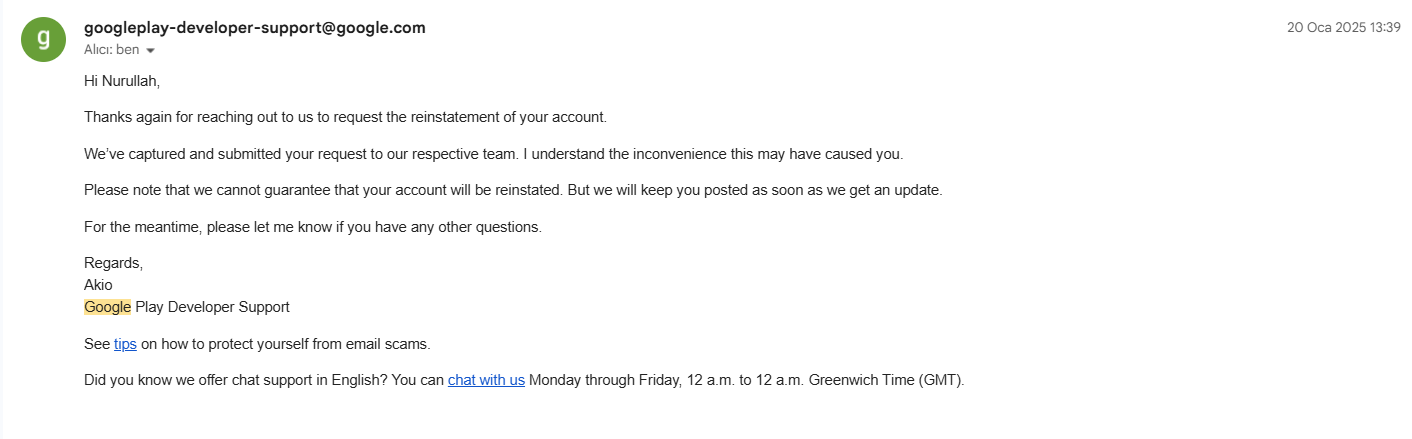
Hi Nurullah,
Thanks again for reaching out to us to request the reinstatement of your account.
We’ve captured and submitted your request to our respective team.
Please note that we cannot guarantee that your account will be reinstated. But we’ll keep you posted.
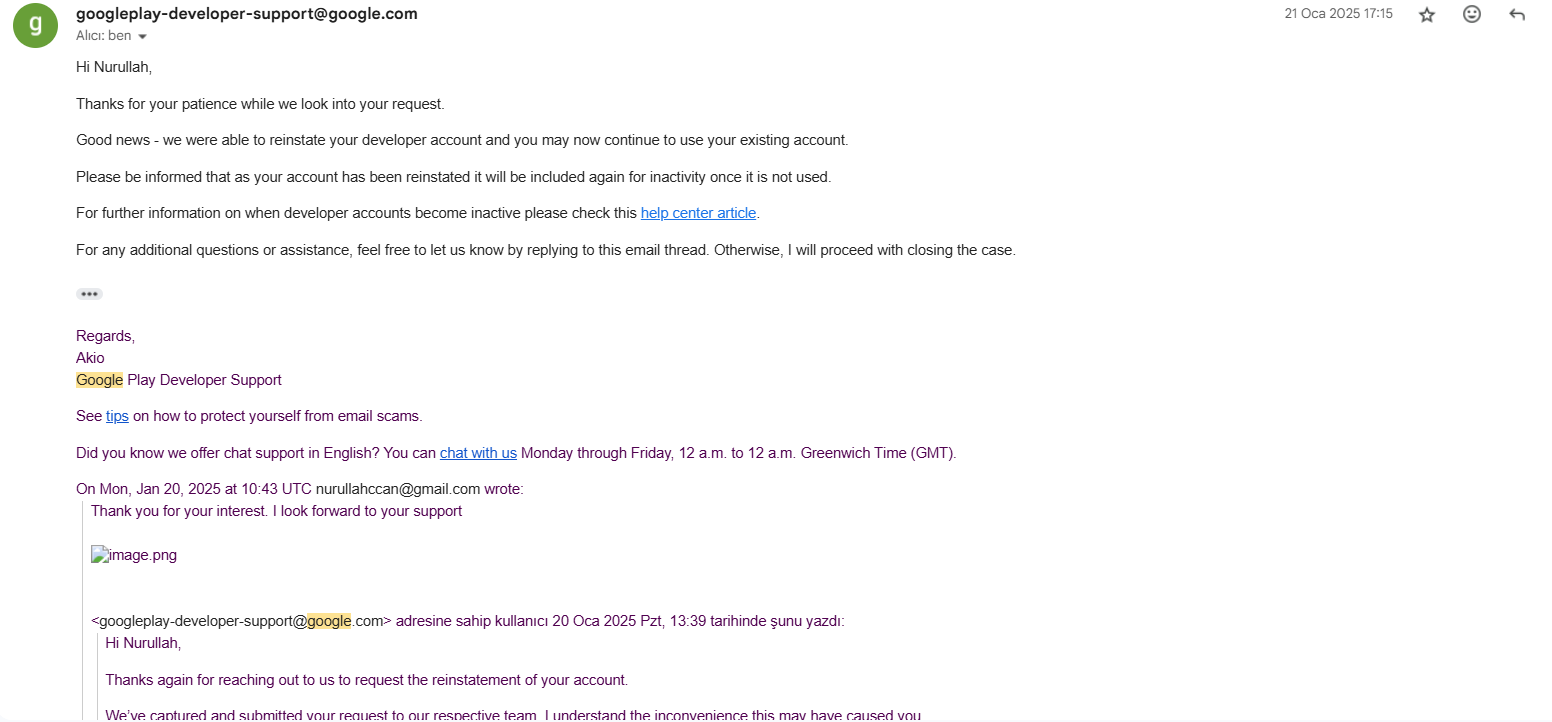
✅ Bu aşamada ben teşekkür ettim:Thank you for your interest. I look forward to your support.
Ve yaklaşık 2 saat sonra aşağıdaki e-posta geldi: 🎉 Hesap Geri Açıldı!
Hi Nurullah,
Good news – we were able to reinstate your developer account and you may now continue to use your existing account.
Please be informed that as your account has been reinstated, it will again be subject to inactivity rules if unused.
🔑 Gelen e-posta adresi:
googleplay-developer-support@google.com Sonrasında normal şekilde hesabıma giriş yapabildim. 💡 Not:
- Hikayenizi kendinize göre kişiselleştirebilirsiniz ama askerlik, üniversite, eğitim gibi iyi niyetli ve mantıklı sebepler sunmak faydalı oluyor.
- E-posta dili mutlaka İngilizce olmalı.
- Yanıt süresi değişebilir; benimki 2 saat içinde çözüldü.
Belki Bir kişinin işine yarar iyi çalışmalar herkese
Aynı şekilde bende açtırdım, ikinci mail 2 gün sonra geldi, sanırım hafta sonuydu. Yani geç gelirse bile olumlu oluyor. Bende kendimce haklı bir sebebi yazmıştım.
Edit: Ben herhangi bir şey satın almadım, doğrudan Play Console iletişimini kullandım.
Elinize sağlık hocam bende aktif olmadığından kapanan play Console hesabımı açtırmıştım hiç ümidim yoktu ama birşey satin almadim direkt play console mailine ingilizce olarak yazdığınız tarzda birşeyler yazdım 1 gün sonra güzel haber geldi. Umarım diğer arkadaşların hesabı da açılır. 🙂
Güncelleme: metod işe yaradı hesap aktive oldu tekrardan, bu mükemmel paylaşım için tekrar teşekkürler hocam.
yöntem işe yaradı. Düzgün bir şekilde mazeretinizi belirtin ve 2 gün sonra good news olarak maille dönüş yapıyolar ve hesabı açıyorlar.
Dün talep formunu doldurdum gece ise ilgili birime iletildiğine dair mail geldi. Cevabı beklemedeyim.
Google one kullanmadan bu şekilde hesabımı açmıştım ben de. Test süreciyle uğraşmamak için aklıma gelmişken denemiştim kısa bir sürede aktif ettiler, deneyecek arkadaşlar için bilgi olsun.